Now on the App Store — iPhone, iPad & Mac
Where ideas connect.
Threadmap is the mind-mapping app for people who think in connections. Capture an idea, branch it into related thoughts, and watch your thinking take shape on an infinite canvas — in lockstep across every Apple device.


Why Threadmap
Built for the way you actually think.
Whether you’re planning a launch, outlining an essay, organizing a trip, or just clearing your head — Threadmap gives you the space to think visually and the polish to share what you make.
Infinite canvas
Pinch, pan, zoom. Your maps grow as your ideas do — with a mini-map for navigation, snap-to-grid, and alignment guides.
Native on every Apple device
Built with SwiftUI for iPhone, iPad, and Mac. The same map looks great on a 6-inch phone and a 32-inch display.
iCloud sync
Start a map on your Mac, refine it on the train, present it from your iPad. Everything stays in lockstep automatically.
Real-time collaboration
Share a map with anyone via iCloud. See cursors, edits, and additions live as your teammates work alongside you.
Beautiful by default
Twelve hand-picked node colors, four node shapes, and live theming. Every export looks ready for a deck.
Privacy-first
Your maps live in your iCloud account, end-to-end encrypted by Apple. No analytics, no ad tracking, no third-party SDKs.
Features
Everything you need. Nothing you don’t.
A focused toolkit for visual thinking — the canvas, the nodes, the way you present and export. All native, all calm.
Canvas
- Infinite, GPU-accelerated canvas with mini-map navigation
- Smart node layouts: force-directed, radial, or tree
- Connection styles: curve, bezier, or straight
- Snap-to-grid, alignment guides, and bulk selection
Nodes
- Rich content blocks: text, images, audio, checklists, code
- Live Node Style editor — drag the panel anywhere, watch a sample preview update as you tweak
- Custom shapes: rounded rectangle, ellipse, diamond, pill
- Drop a photo from anywhere — it becomes a node automatically
Presentation
- Focus Mode dims everything but the branch you’re working on
- Presentation Mode walks through your map one node at a time
- Built for keynotes, classrooms, and async demos
Export & sharing
- Export to PDF, PNG, Markdown, OPML, or .threadmap
- Share via iCloud links — recipients can view or edit in Threadmap
- Hand off to other tools: import OPML, paste straight into Notion or Bear
A peek inside
From a quiet first node to a map you can present.
Threadmap on the Mac — a walk through the canvas, smart templates, the node style editor, the AI panel, and live collaboration. Clean shapes, careful spacing, and a steady, calm feel.
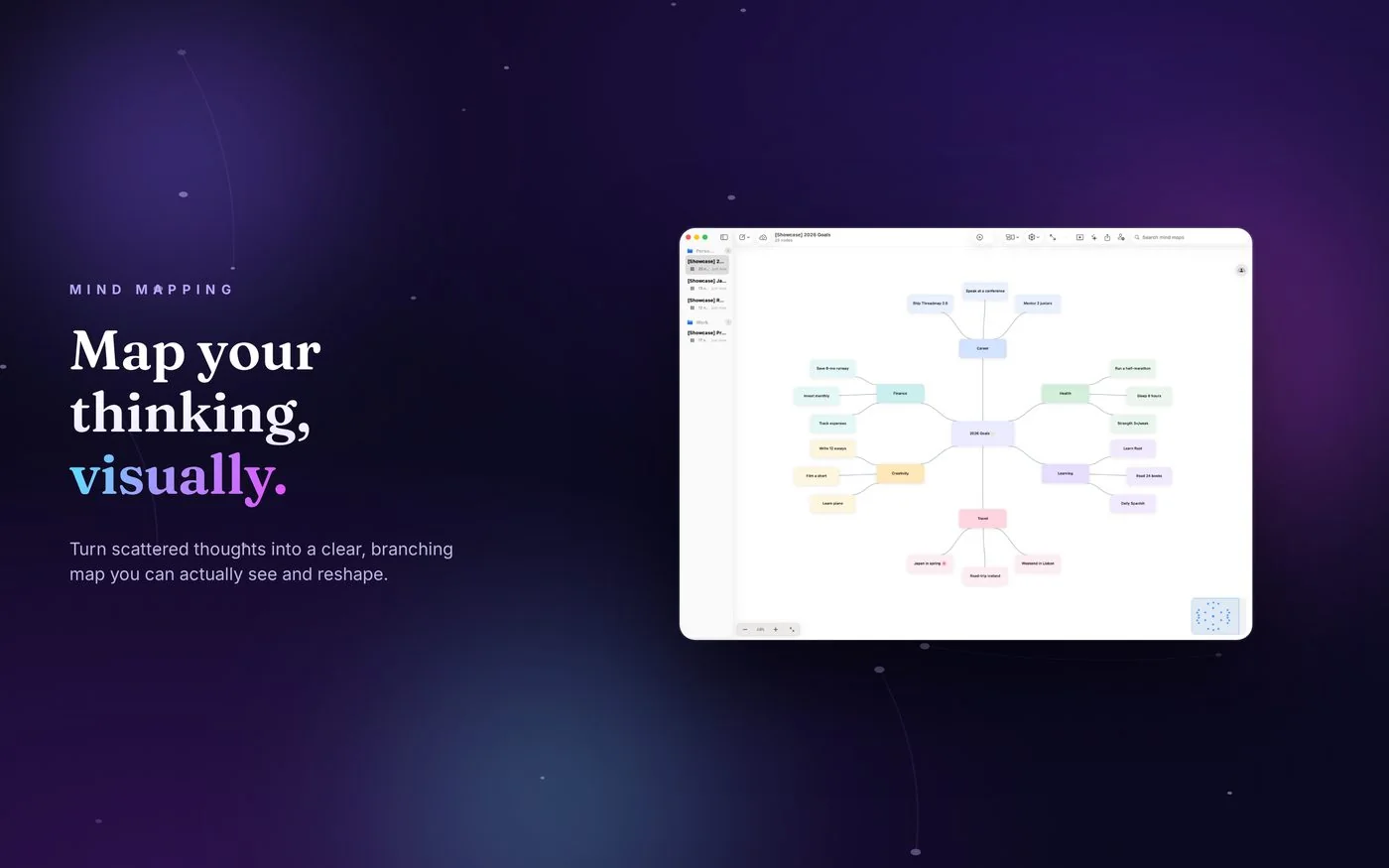
Visual canvas
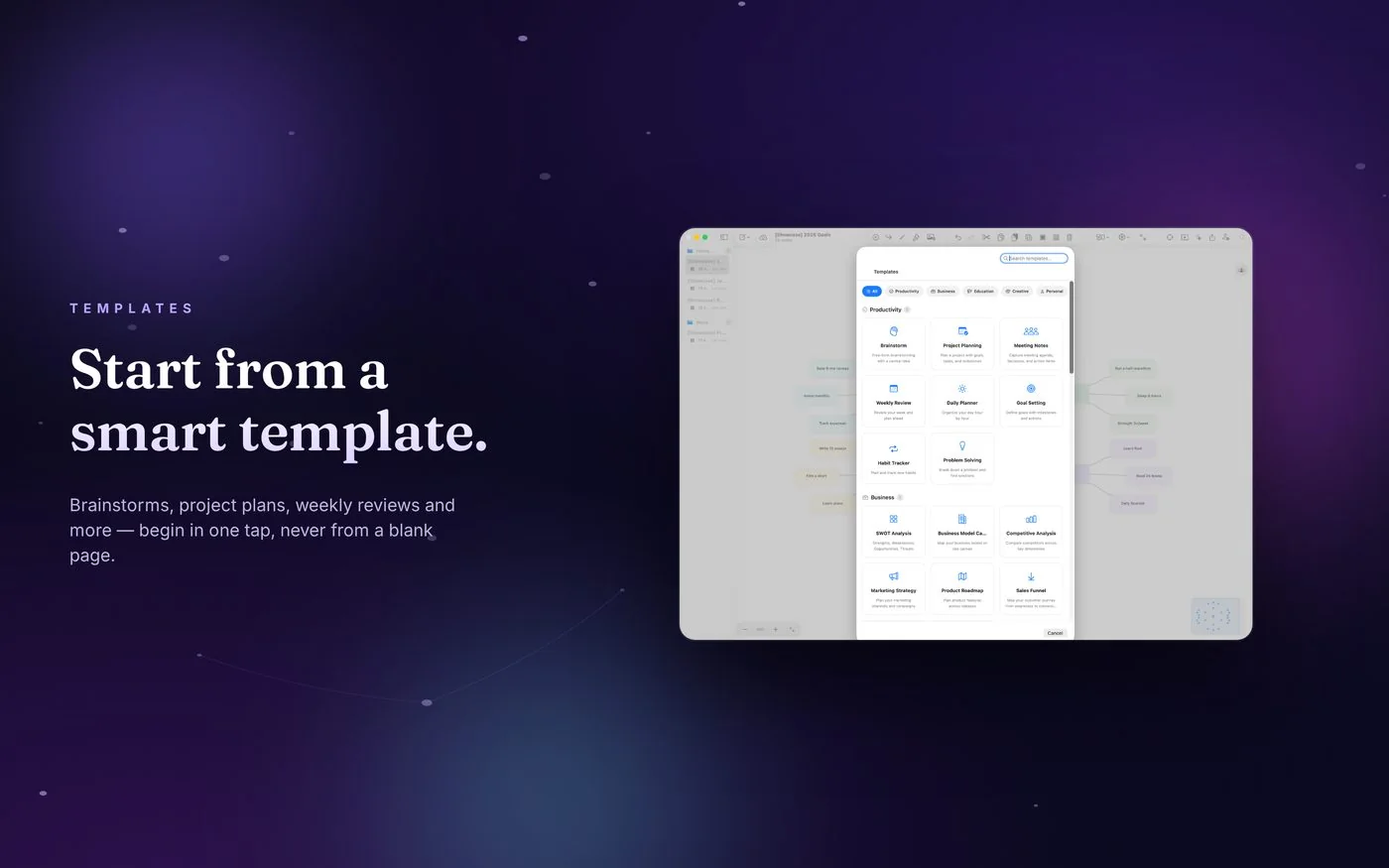
Smart templates
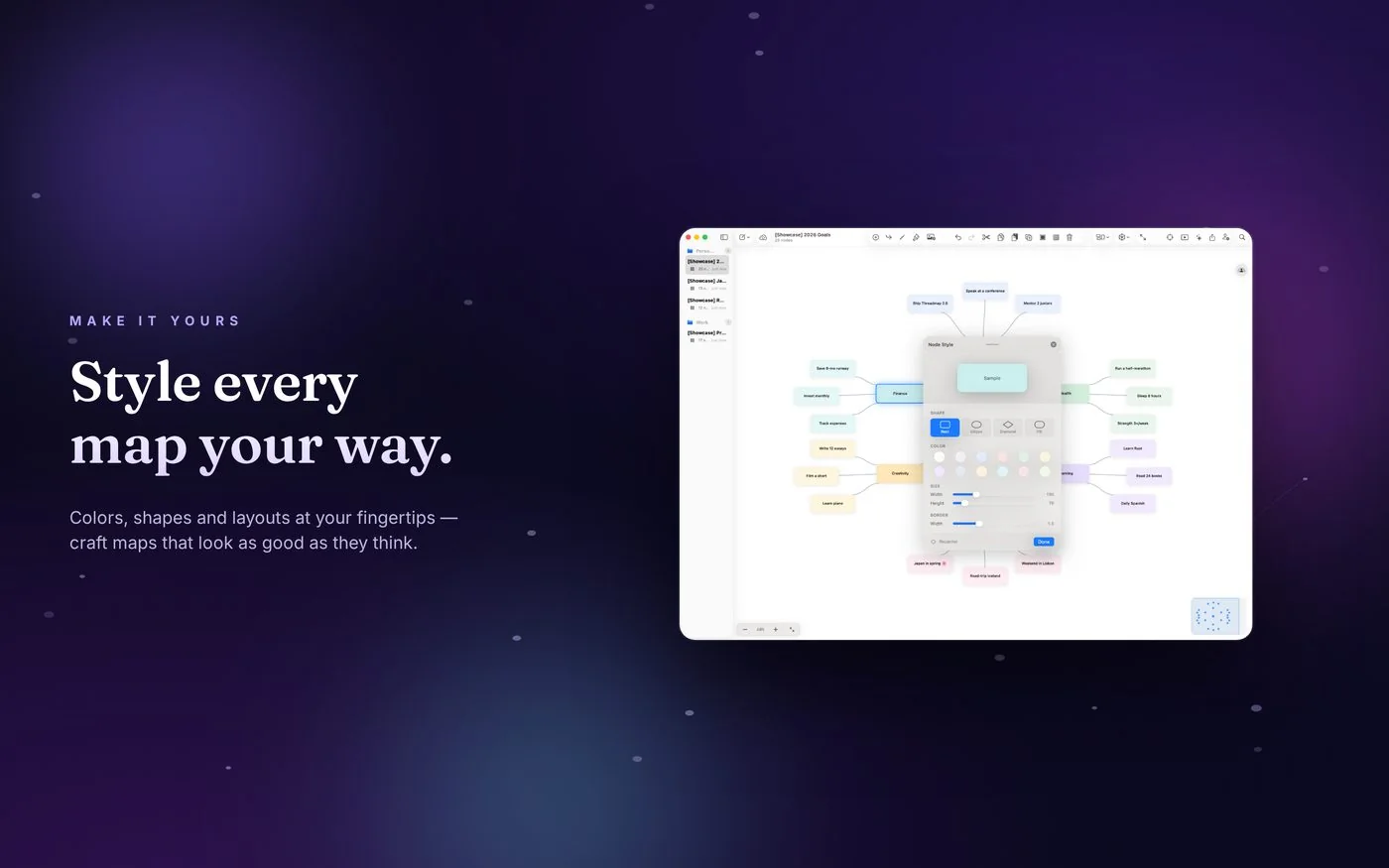
Node styling
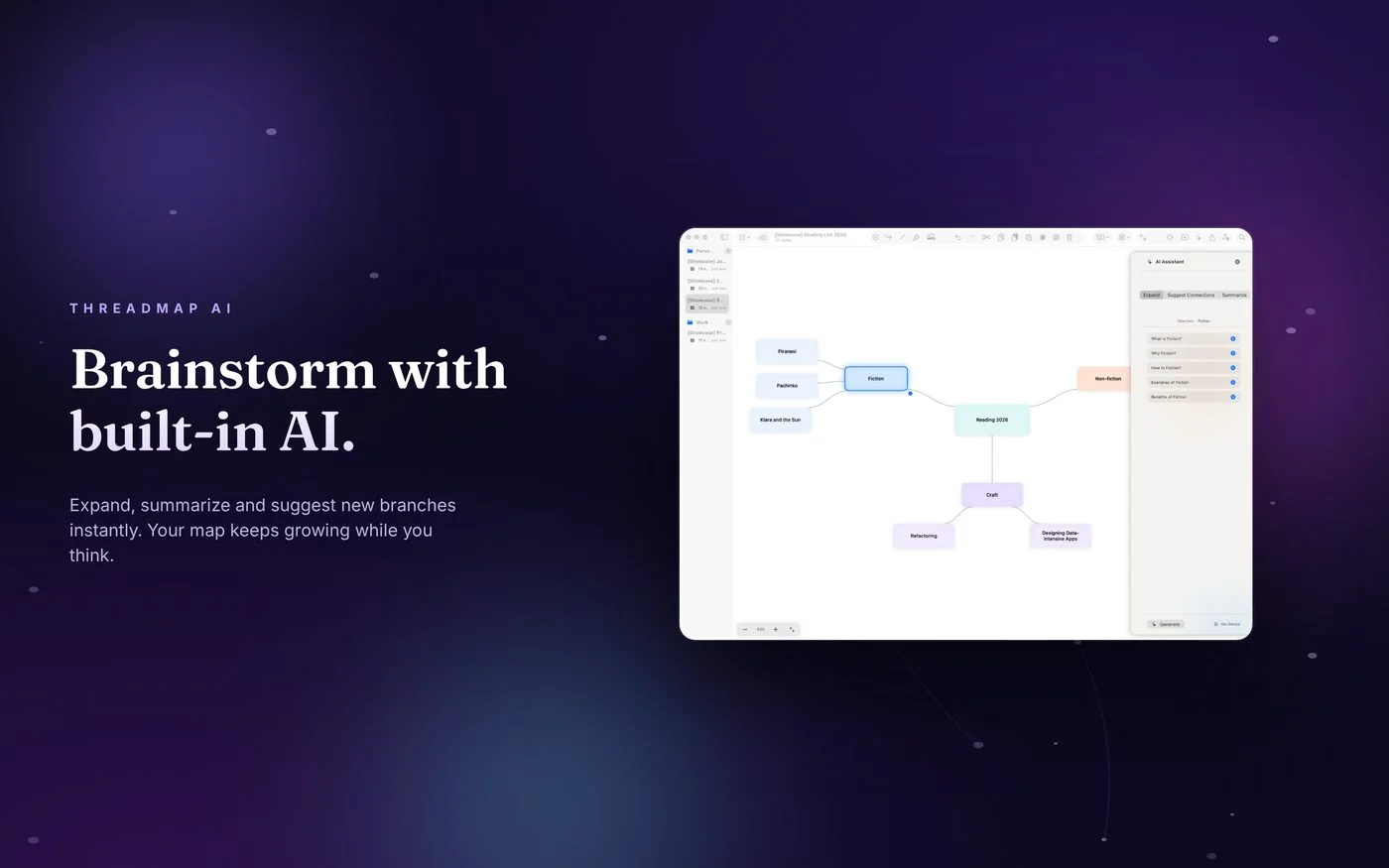
AI assistant
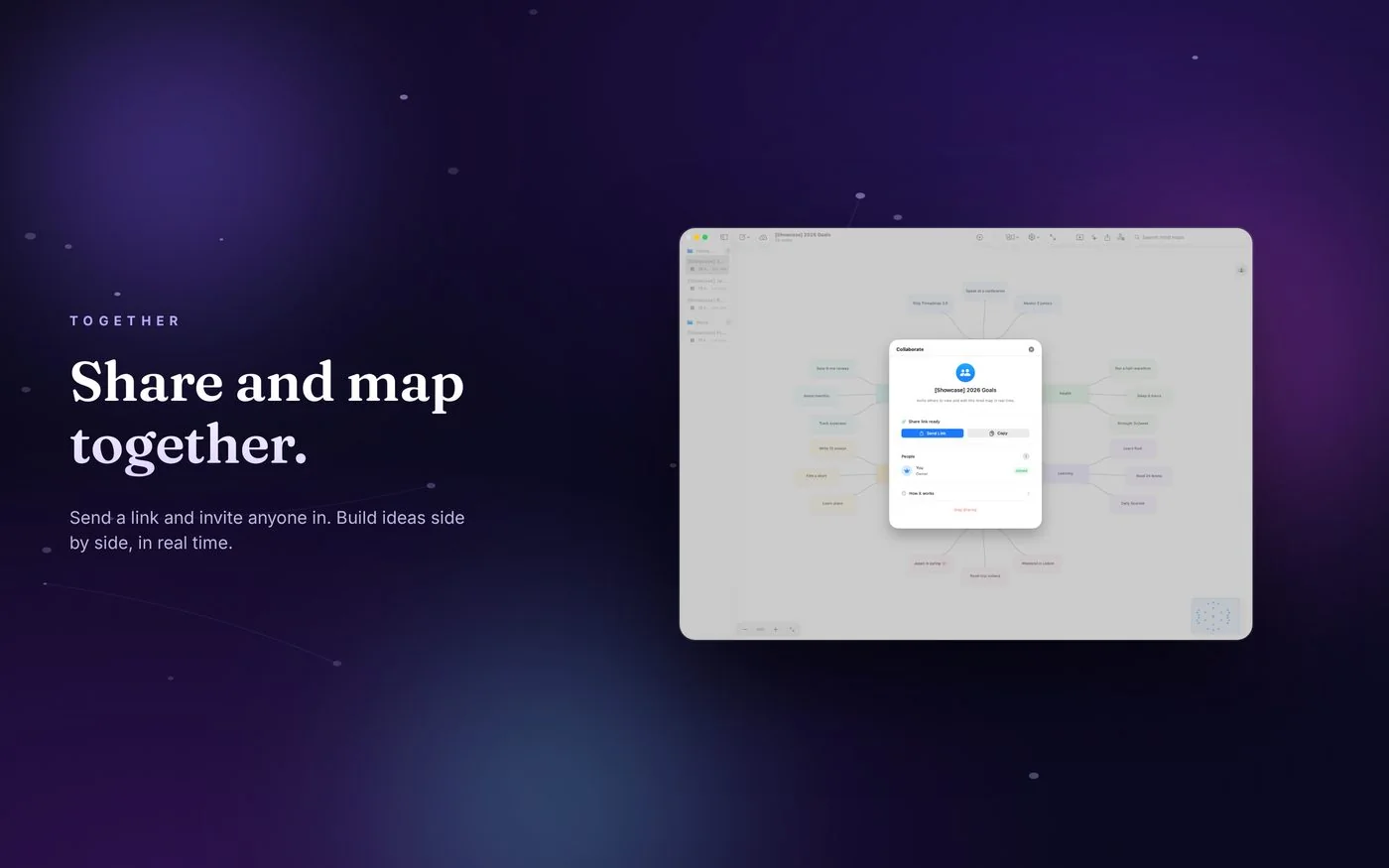
Collaborate live
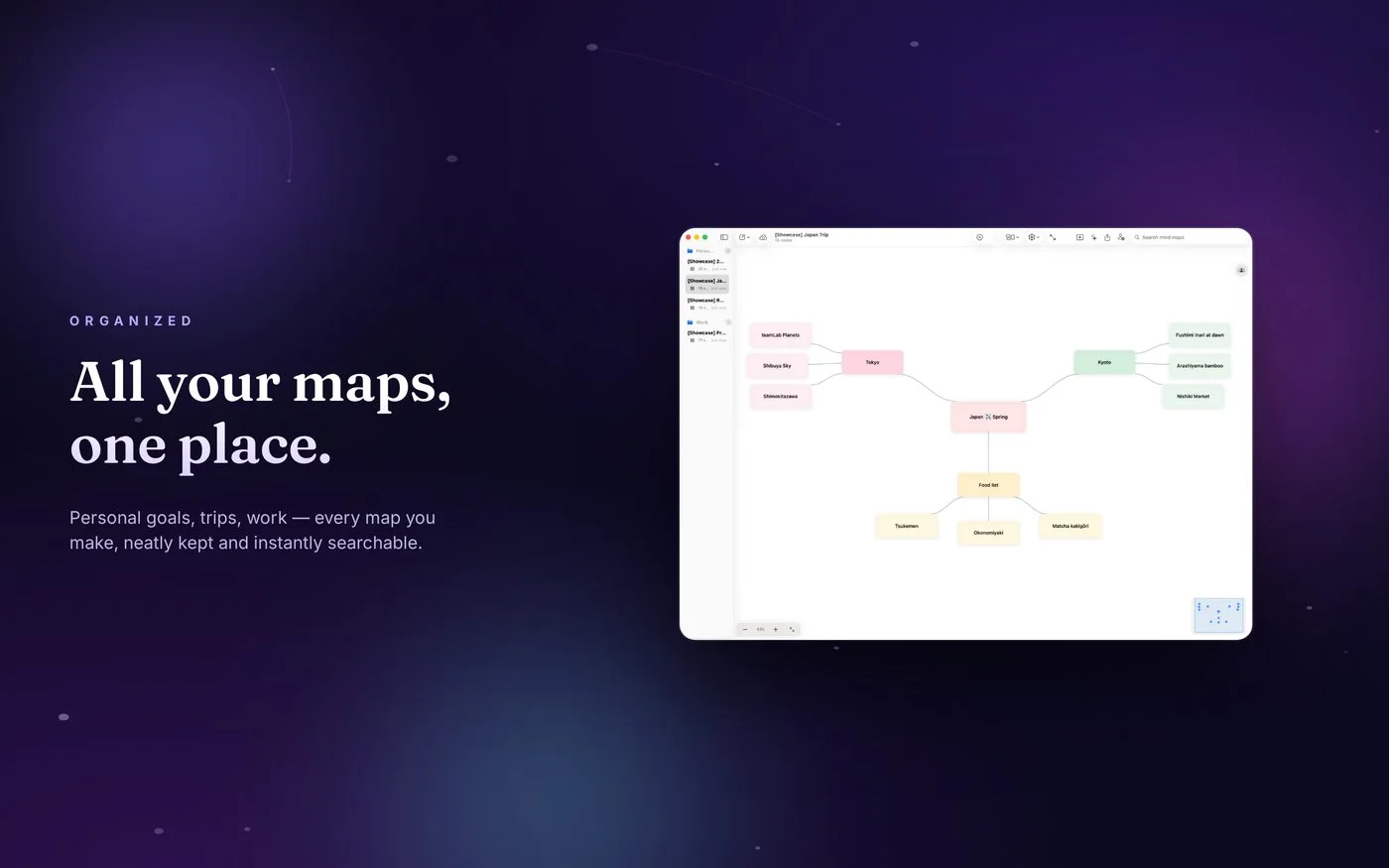
Your library
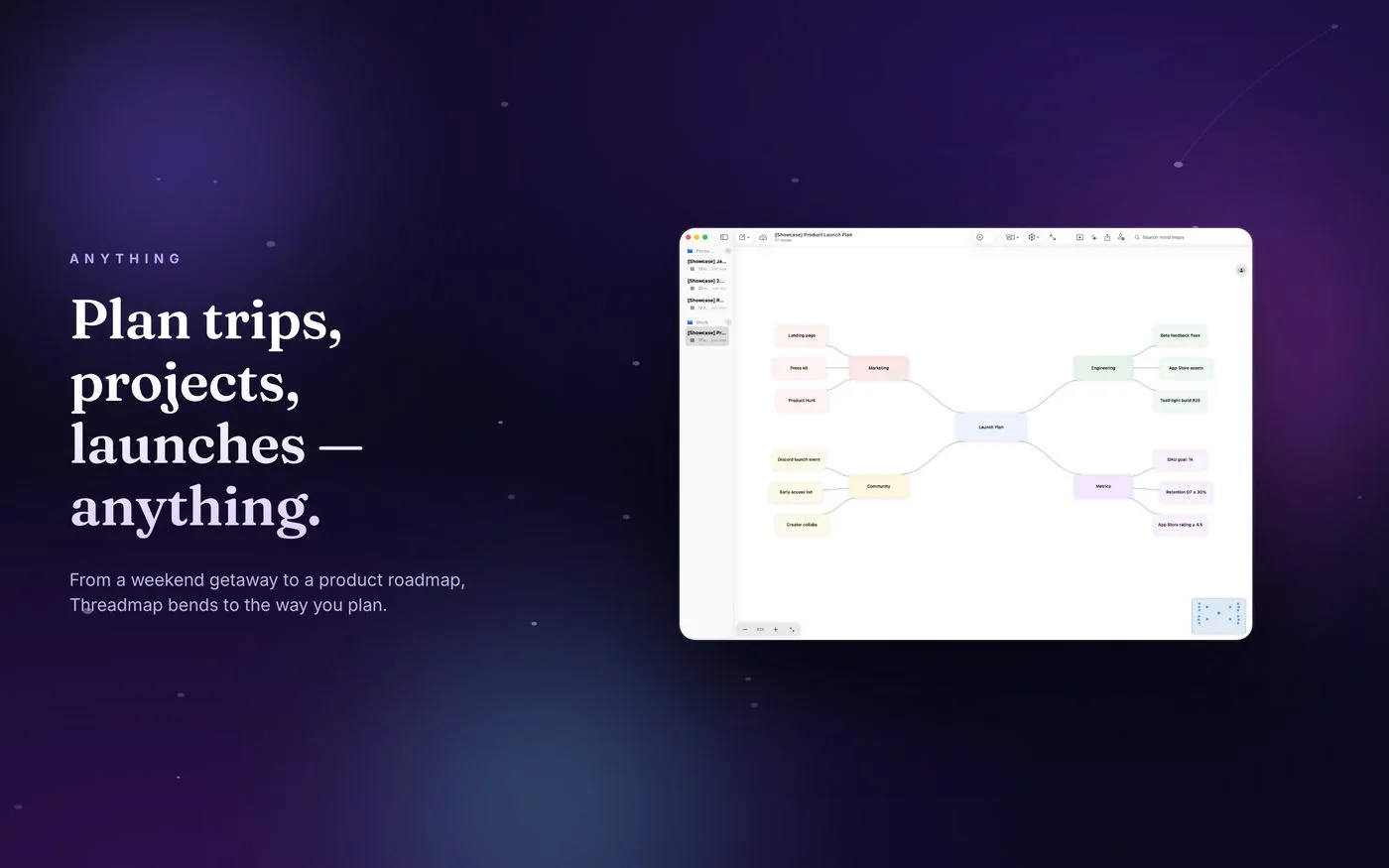
Plan anything
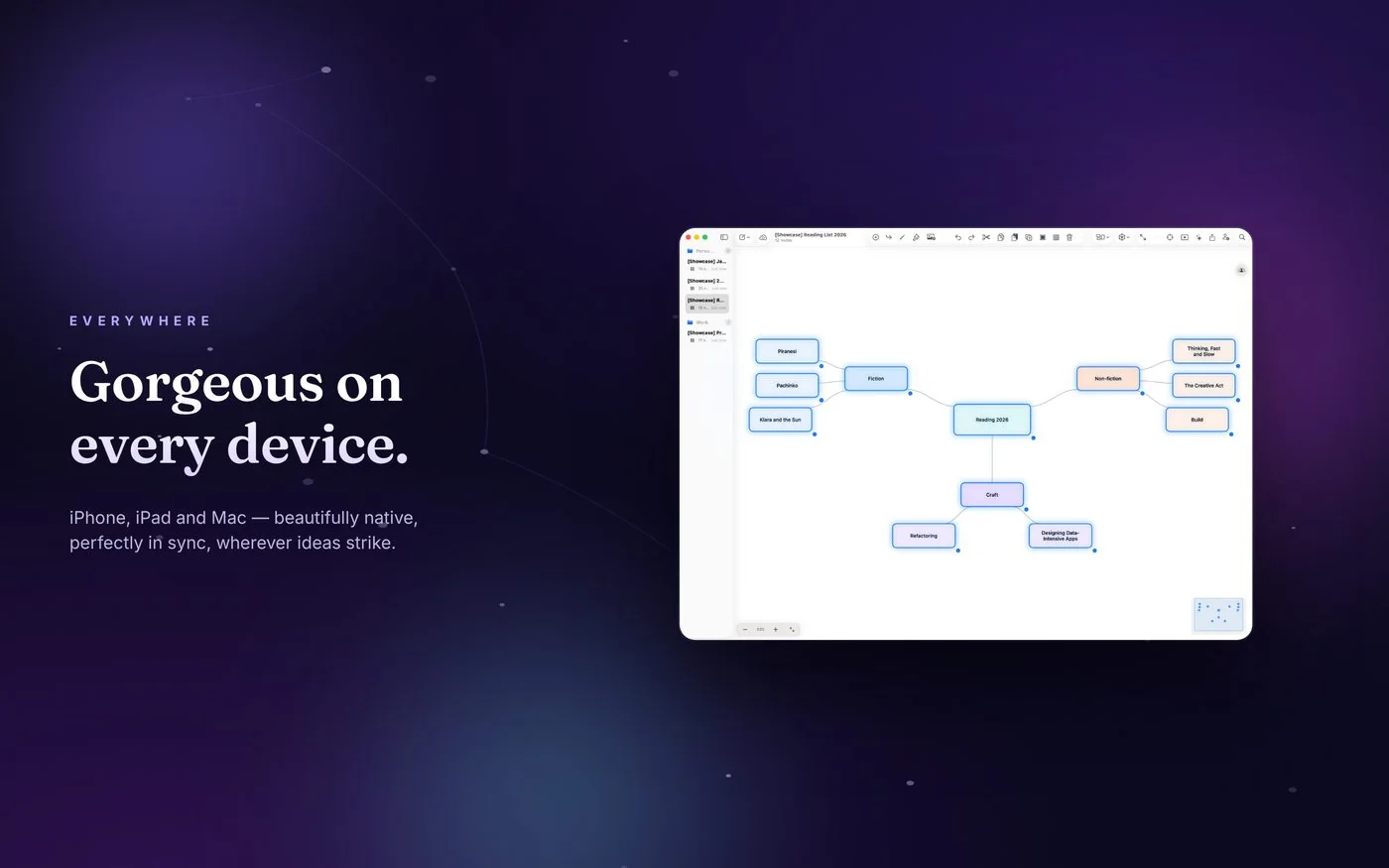
Every device
Brainstorm with an AI that lives in your map.
Unlock the AI assistant, unlimited maps, pro export, and real-time iCloud collaboration — for less than a coffee a month.
Monthly
$1.99/month
Try Pro month to month. Cancel anytime.
Yearly Save 37%
$14.99/year
Just $1.25 / month, billed yearly.
-
AI assistant
Brainstorm new branches with one tap. Summarize a sub-tree into bullet points, or expand a node into a full outline. Bring your own API key (OpenAI, Anthropic) or use the on-device model.
-
Unlimited mind maps
Free includes 3 maps to try the app. Pro removes the cap entirely — build as many as you like.
-
Pro export
PDF, PNG, Markdown, OPML, and .threadmap — every export styled to look ready for a deck.
-
Real-time collaboration
Invite teammates by email or iCloud link. Watch their cursors and edits land on your canvas as it happens.
Subscriptions auto-renew until canceled. Cancel anytime in your Apple ID settings. Payment is charged to your Apple ID account at confirmation. The subscription renews automatically unless turned off at least 24 hours before the end of the current period. You can manage your subscription and turn off auto-renewal in your account settings. See our Terms of Use for full subscription terms.
Your thoughts stay yours.
Your maps live in your iCloud account, end-to-end encrypted by Apple. There are no analytics, no ad tracking, and no third-party SDKs. The on-device AI model runs entirely on your device — your text never leaves it. Read the full privacy policy.

A clearer way to think is here.
Threadmap is available now on iPhone, iPad, and Mac. Free to try with 3 maps — upgrade to Pro any time.