New in 2.0 — iPhone, iPad & Mac
Think in branches, not lines.
AsterBridge is a mind mapping app for iPhone, iPad and Mac. Capture an idea, branch it into related thoughts, and watch your thinking take shape — on an infinite canvas or as a clean outline.

Why AsterBridge
Built for the way you actually think.
Plan a launch, outline an essay, organize a trip, or just clear your head. AsterBridge gives you room to think visually and the polish to share what you make.
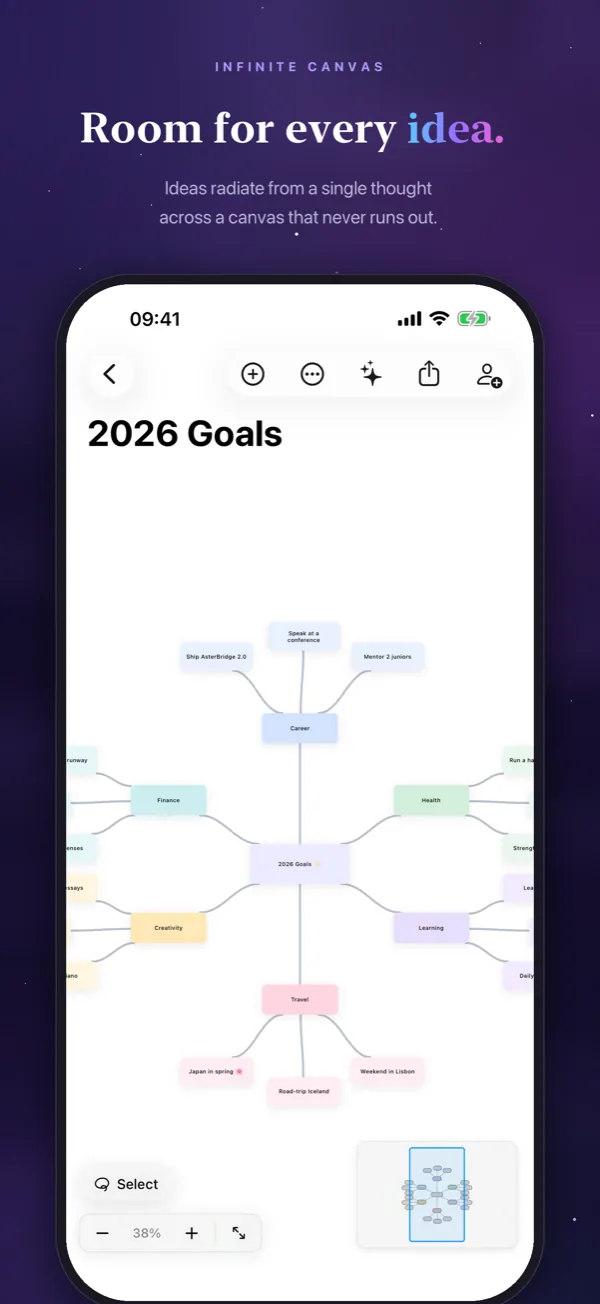
Infinite canvas
Pinch, pan and zoom. Your maps grow as your ideas do, with a mini-map, zoom to fit and alignment guides. Keep Tidy lays the map out for you as you add, move and delete ideas.
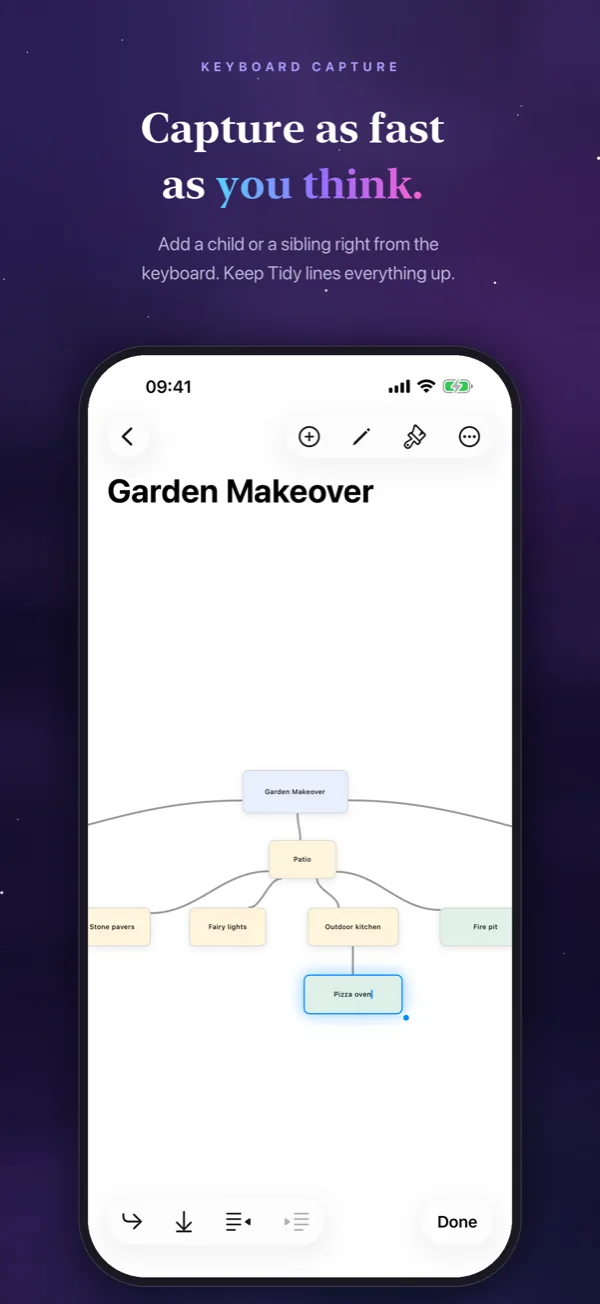
Fast to capture
Type a whole branch without leaving the keyboard: Return adds the next idea, and the keyboard bar adds children, indents and outdents.
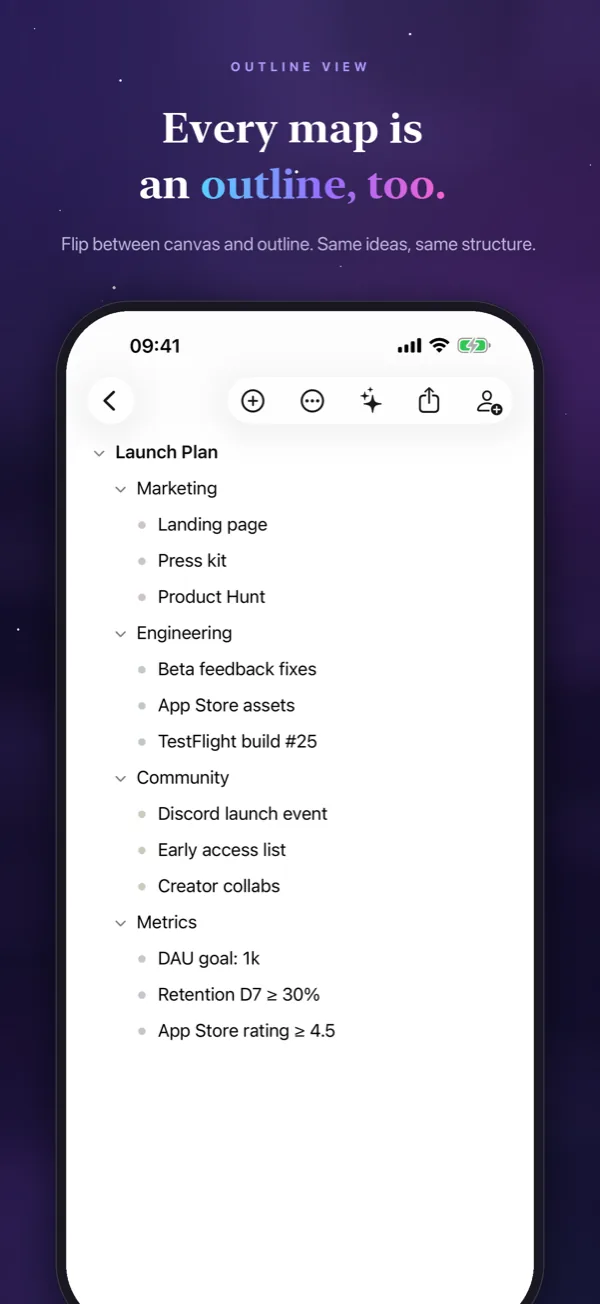
Canvas or outline
The same map as a zoomable canvas or an editable outline. On iPad and Mac, use both side by side.
On every Apple device
Made for iPhone, iPad and Mac, and kept in sync through your own iCloud account. Start on the Mac, carry on on the train.
Map together
Invite people to view or edit a map through iCloud, and changes sync within moments. In a FaceTime call, map together live with SharePlay.
Private by design
No analytics, no ads, no tracking, and no third-party SDKs. Your maps are stored in your own iCloud account.
Features
Everything you need. Nothing you don’t.
The canvas and the outline, the nodes, the way you bring ideas in and share them, all native to iPhone, iPad and Mac.
Canvas & outline
- Infinite canvas with mini-map, zoom to fit and alignment guides
- Layouts: tree, radial or force-directed, or let Keep Tidy arrange the map as you edit
- Outline view with indent, outdent, reordering and collapsible branches
- Apple Pencil: sketch inside a node, or draw from one node to another to connect them
Nodes
- Content: text, headings, images, links, checklists, code and Pencil sketches
- Four shapes (rounded rectangle, ellipse, diamond, pill), colors and connection styles, with a live preview
- Undo and redo for every edit
Bring your ideas in
- Paste notes or Markdown and get a map: headings and indented bullets become branches
- Photograph handwritten or printed notes — the text is recognized on your device
- Import OPML and other common mind map formats
- Templates for planning, brainstorming, study and goals
Present & share
- Focus Mode and Presentation Mode
- Export to PNG for free, and to PDF, Markdown, OPML or AsterBridge files with Pro
- Invite people to view or edit a map through iCloud (Pro)
- SharePlay: map together live during a FaceTime call
Everywhere on your device
- Widgets for a pinned map or your recent maps
- Shortcuts and Siri: add an idea to a map, open a map, or turn text into a map
- Share text or links from any app into a map
- Spotlight finds your maps and ideas; Handoff continues on another device
Version history
- Earlier versions of each map are kept on your device
- Preview any version, restore it, or save it as a copy
A peek inside
From a quiet first idea to a map you can share.
AsterBridge on iPhone: the canvas, keyboard capture, the outline, the AI assistant, importing notes, templates, node styles and your library.
Think in branches
Infinite canvas
Keyboard capture
Outline view
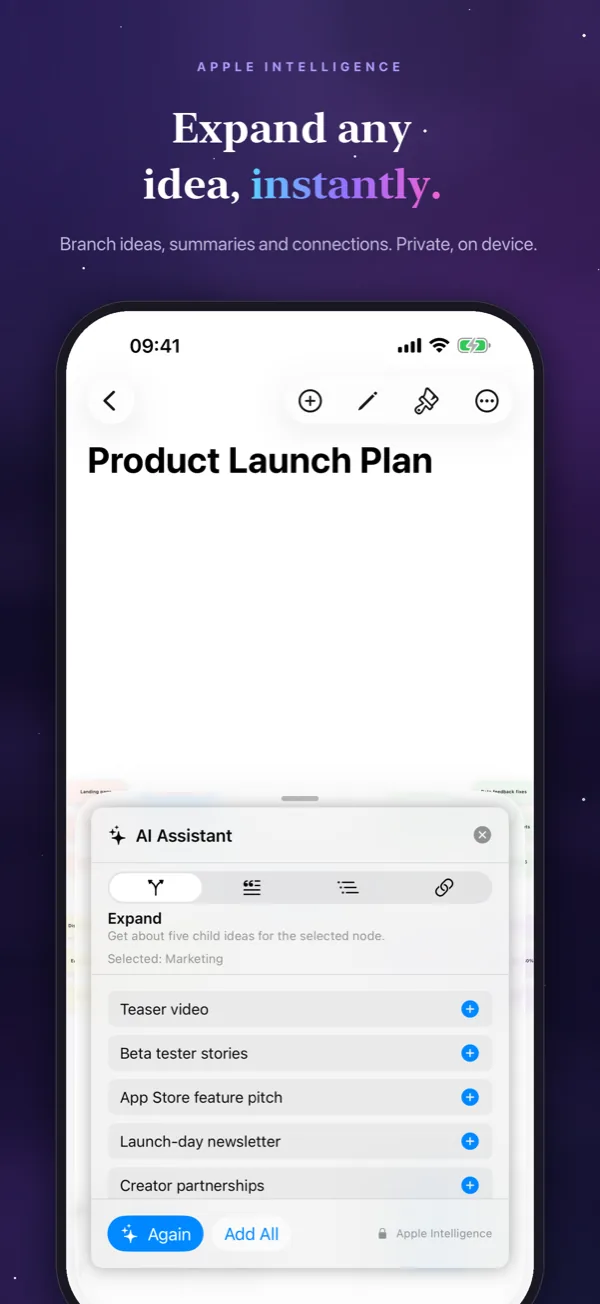
Apple Intelligence
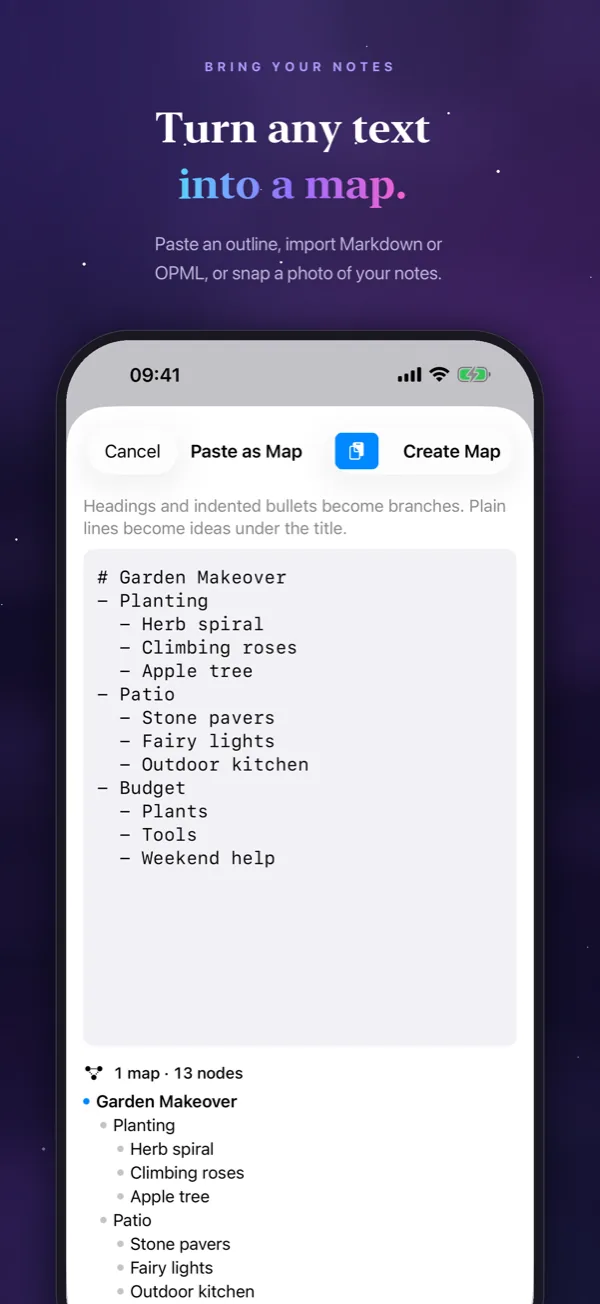
Turn text into a map
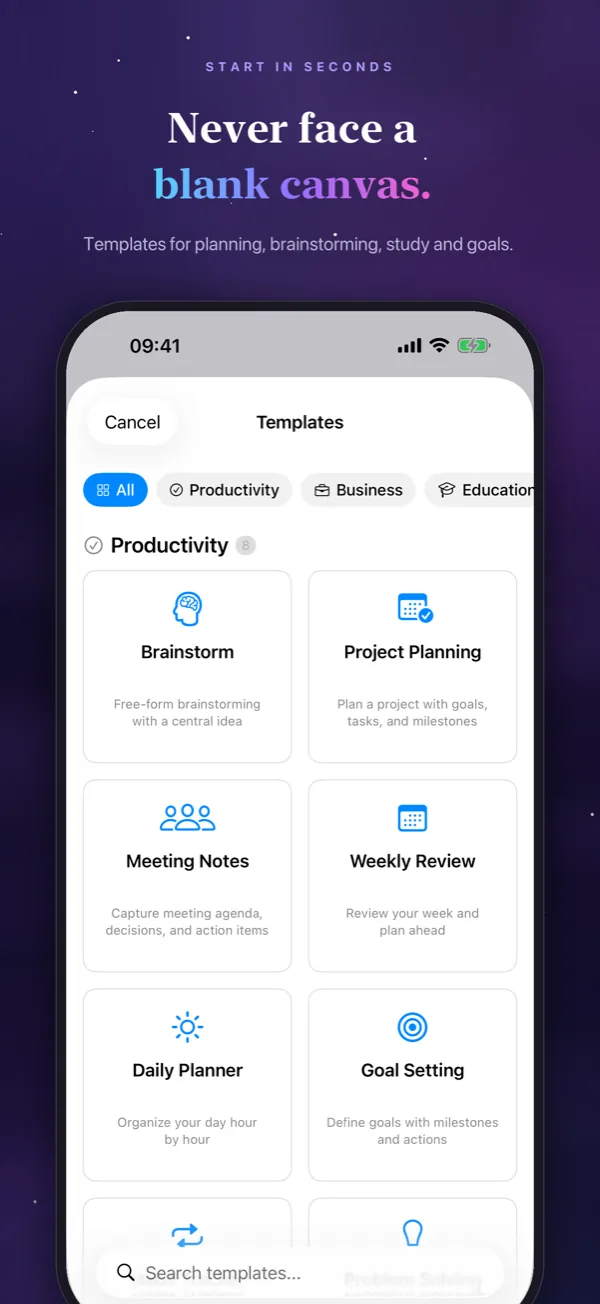
Templates
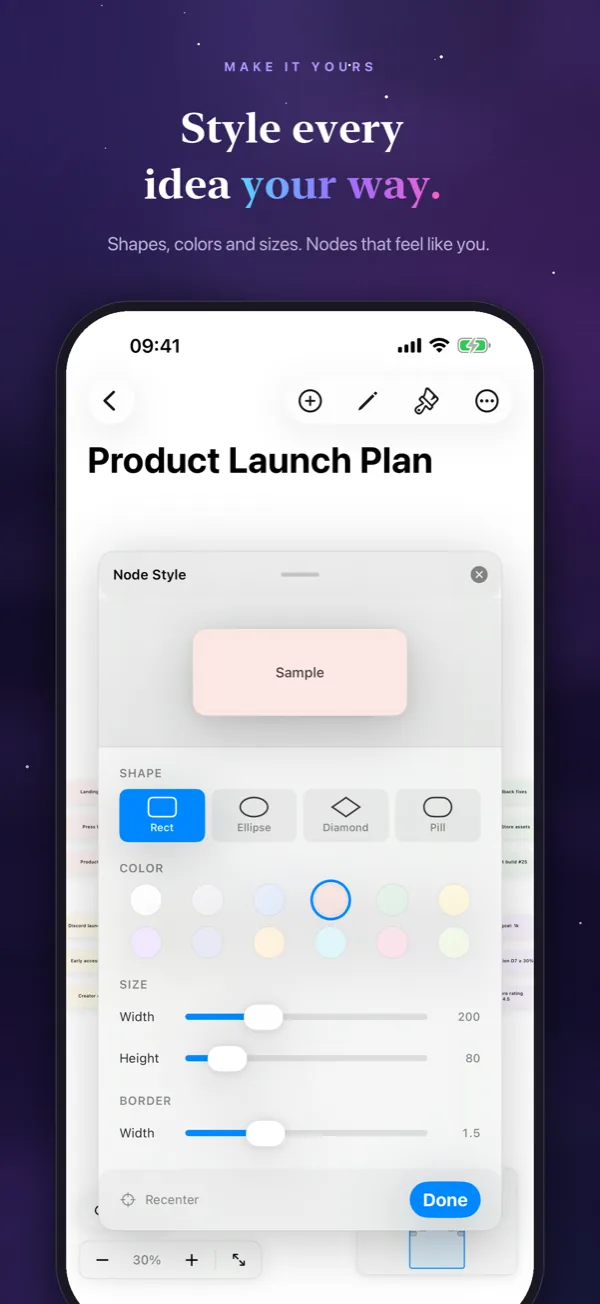
Node styles
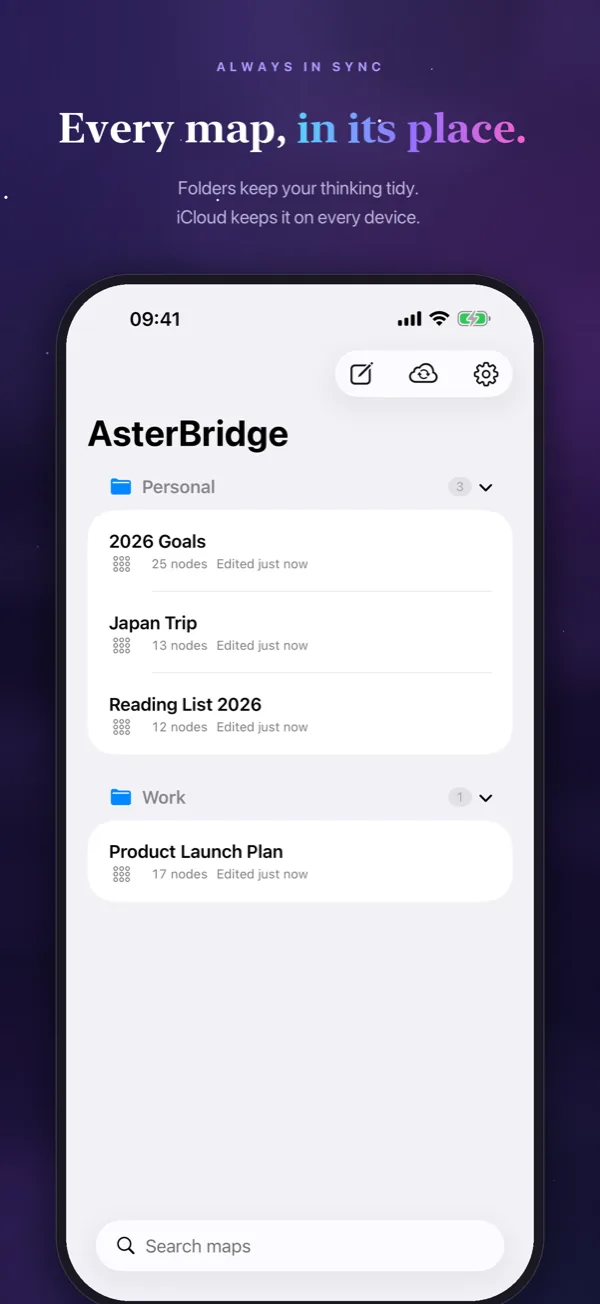
Your library

Get the app
Brainstorm with an assistant that lives in your map.
A monthly or yearly subscription unlocks unlimited maps, the AI assistant, pro export and inviting people to your maps. Prices are shown in your local currency in the app before you subscribe.
-
AI assistant
Expand an idea into new branches, summarize a branch, suggest connections, or turn pasted text into a map. It uses Apple Intelligence on supported devices, privately and on your device, or an AI account of your own.
-
Unlimited maps
The free version includes up to 3 maps. Pro removes the limit.
-
Pro export
PDF, Markdown, OPML and AsterBridge files. PNG export is free for everyone.
-
Invite people
Share a map through iCloud so others can view or edit it with you.
Subscriptions auto-renew until canceled. Payment is charged to your Apple Account at confirmation of purchase. The subscription renews automatically unless turned off at least 24 hours before the end of the current period. You can manage your subscription and turn off auto-renewal in your Apple Account settings. See our Terms of Use for full subscription terms.
Your thoughts stay yours.
Your maps are stored in your own iCloud account. There are no analytics, no ads and no third-party SDKs. Apple Intelligence works on your device; if you connect an AI account of your own instead, your text goes from your device straight to that provider. Read the full privacy policy.

Map your mind.
AsterBridge is available on iPhone, iPad and Mac. Free to try with 3 maps — upgrade to Pro any time.