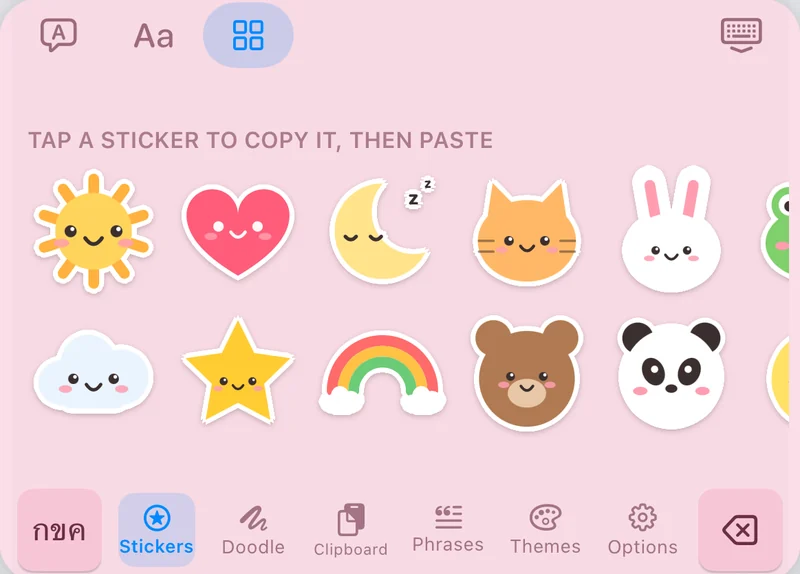
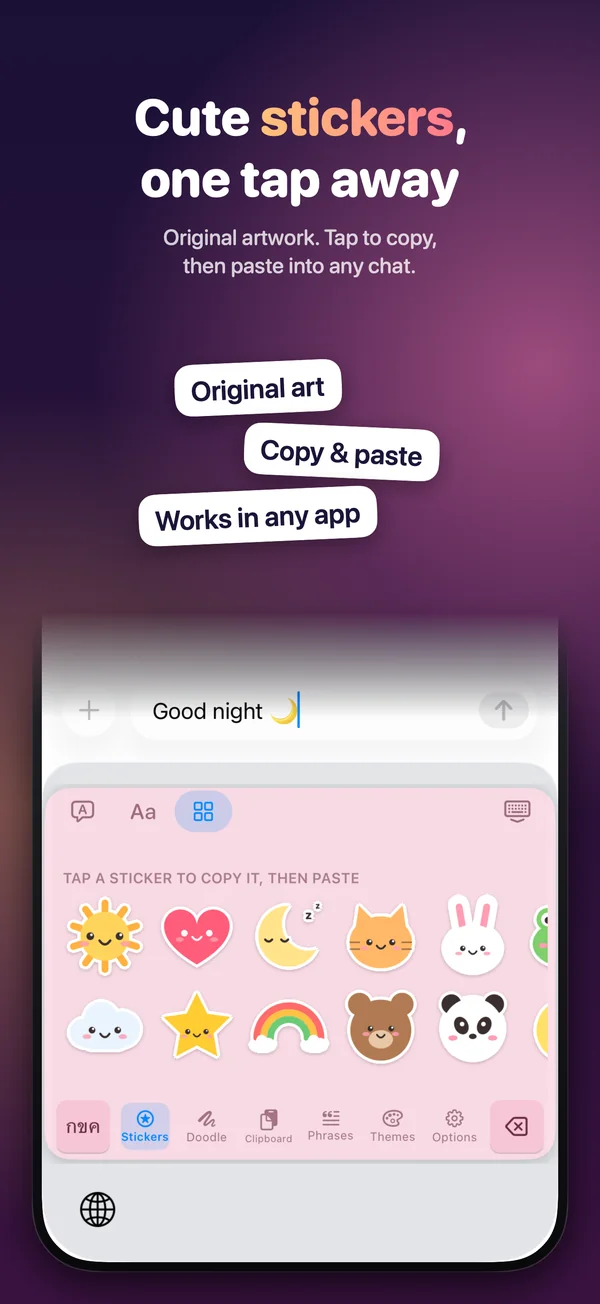
32 original stickers
Drawn in code for Phim. Tap one to copy it, then paste it into any chat.
 Phim · พิมพ์means “to type” in Thai
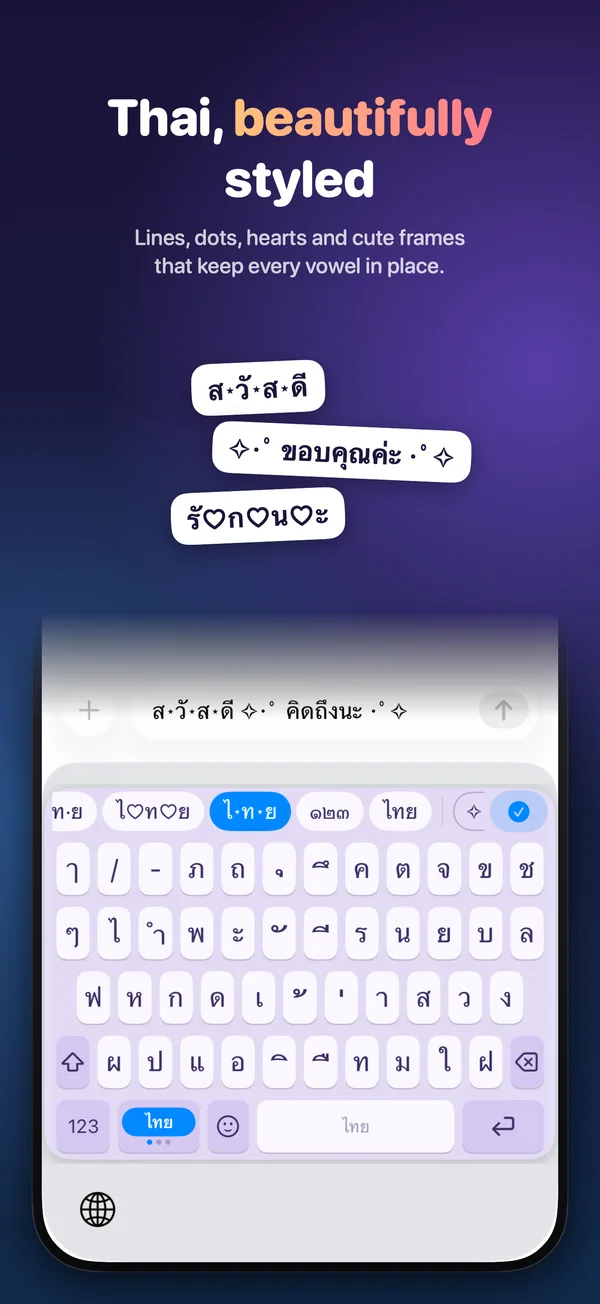
Started as a compact iPad keyboard, now a full toolkit for iPad and iPhone: 52 languages with one language key, 31 fancy text styles, stickers you can draw yourself and 22 themes.
 iPad and iPhone · iOS 17 or later · one payment, no subscription
Try it here
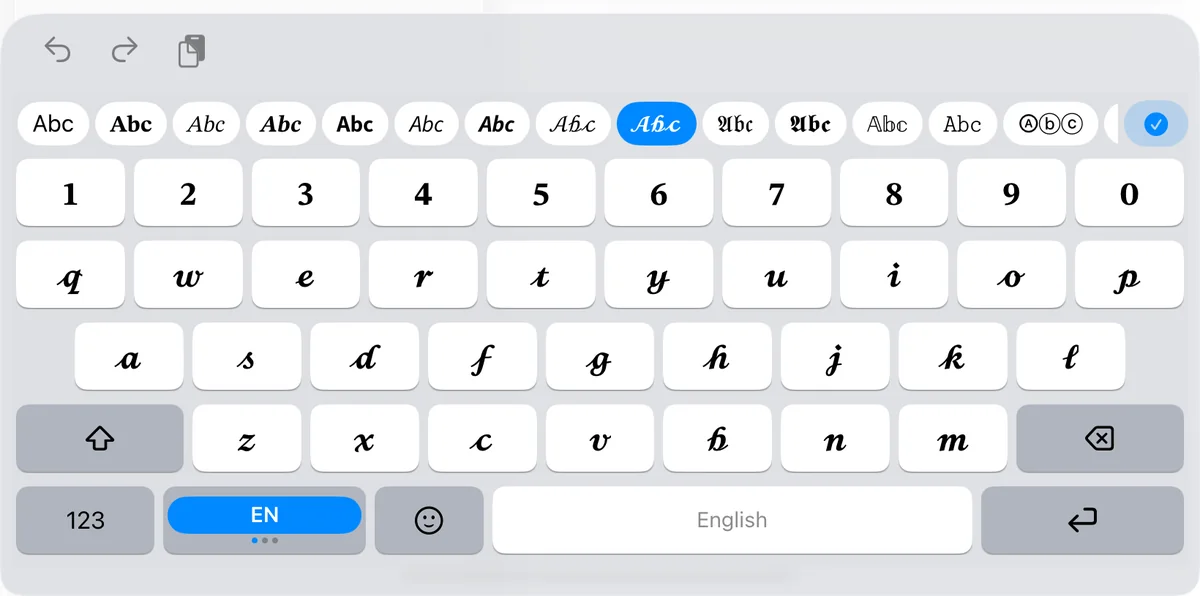
These are Phim’s own text styles, running on this page. In the app you pick one above the keys and every key shows the letter as it will be typed. Type below, then copy the one you like.
No fonts are involved: each style swaps letters for other characters from the Unicode standard, drawn by your device’s own fonts, so the text pastes into bios, posts and chats as plain text. Styles that change letters A to Z work for languages written with them; lines, dots, hearts and frames work with Thai and most other scripts too. Some apps and fonts do not show every character, and screen readers may read styled text letter by letter.
Made for iPad
The iPad’s own keyboard fills the whole width of the screen. Phim starts as a compact panel with iPhone-sized keys, and you decide where it goes.
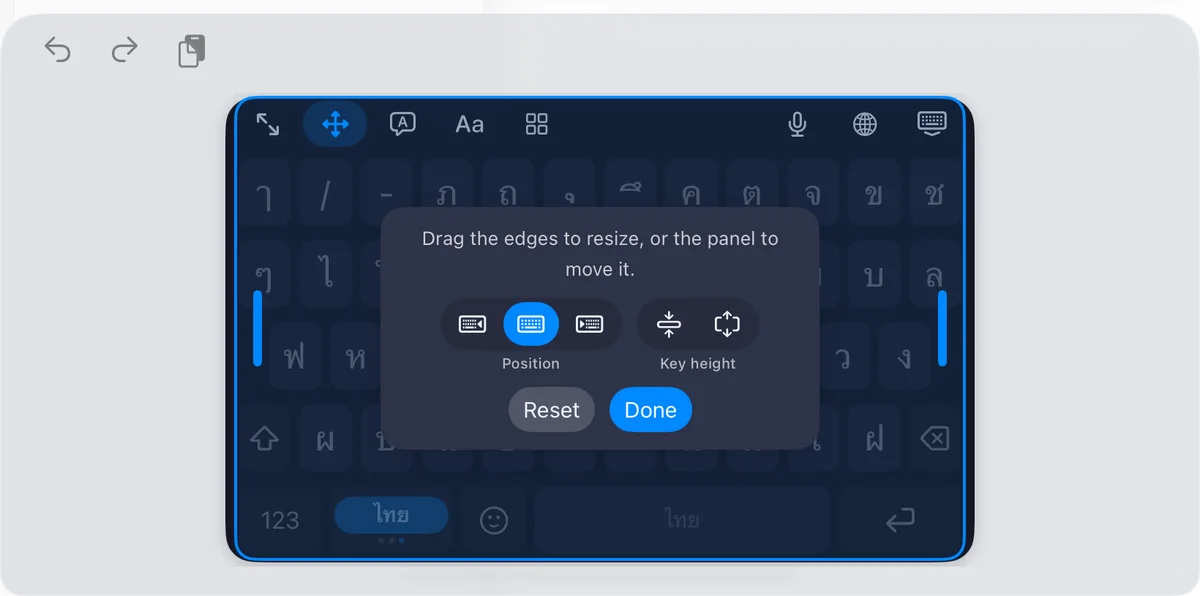
52 languages
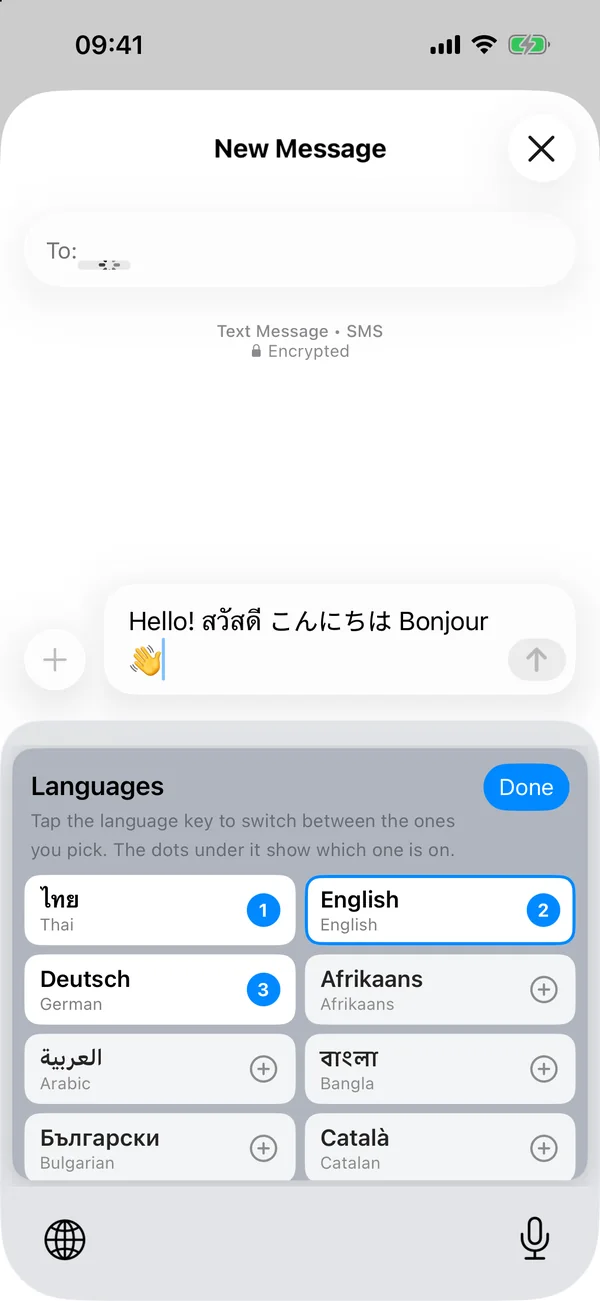
Touch and hold the language key to choose the languages it moves between. With two it shows both, like ไทย | EN; with more, the current one and a dot for each. Every non-Latin layout follows Apple’s own layout for that language.
English · Español · Português · Français · Deutsch · Italiano · Nederlands · Svenska · Norsk · Dansk · Suomi · Íslenska · Polski · Čeština · Slovenčina · Slovenščina · Hrvatski · Română · Magyar · Türkçe · Eesti · Latviešu · Lietuvių · Català · Afrikaans · Bahasa Indonesia · Bahasa Melayu · Filipino · Kiswahili
Русский · Українська · Български · Српски
Ελληνικά · ქართული
العربية · فارسی · اردو · עברית
हिन्दी · मराठी · नेपाली · বাংলা · தமிழ்
ไทย · ລາວ · ខ្មែរ · Tiếng Việt
한국어 · 日本語 · 简体中文 · 繁體中文
The Chinese and Japanese suggestions come from a small built-in dictionary of common characters and everyday words. It covers common writing, but it is much smaller than the system input methods.
The toolbox
Drawn in code for Phim. Tap one to copy it, then paste it into any chat.
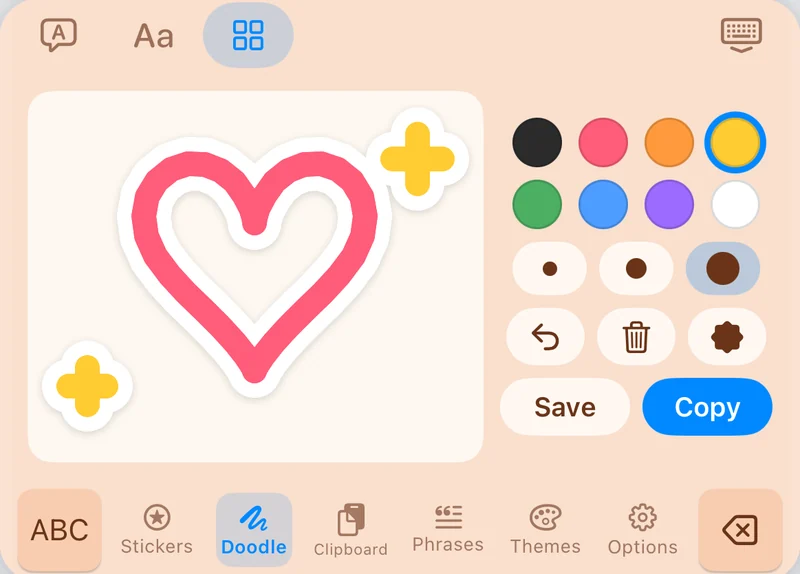
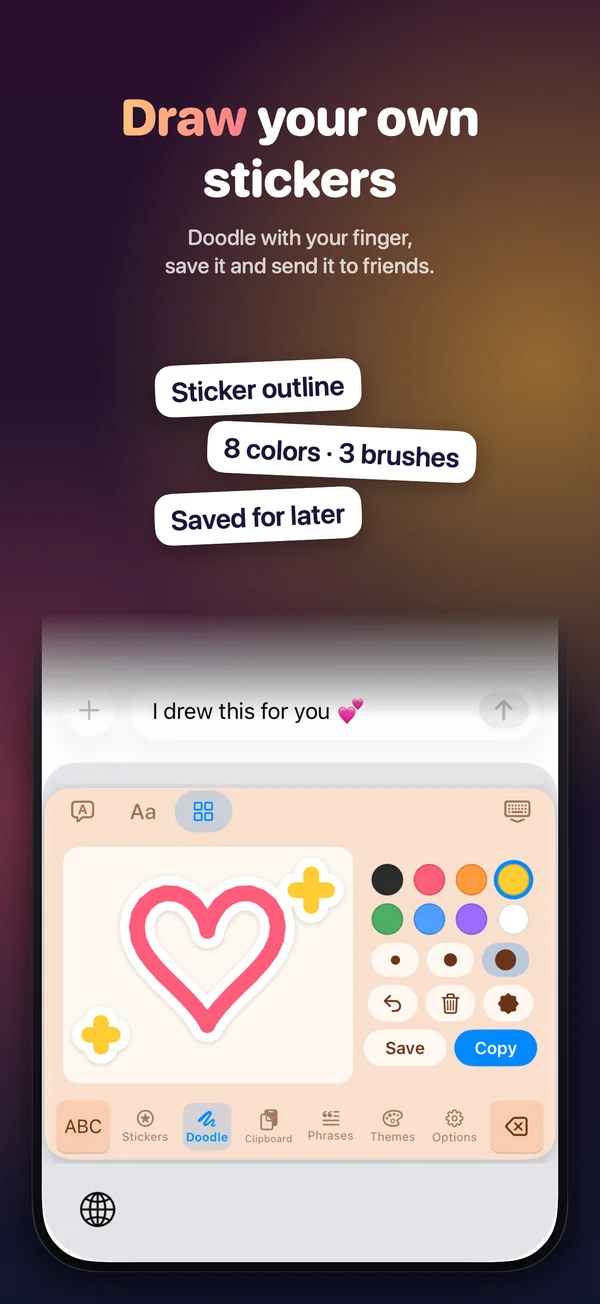
Draw with your finger, add a white sticker edge, then copy it or keep it in My Stickers.
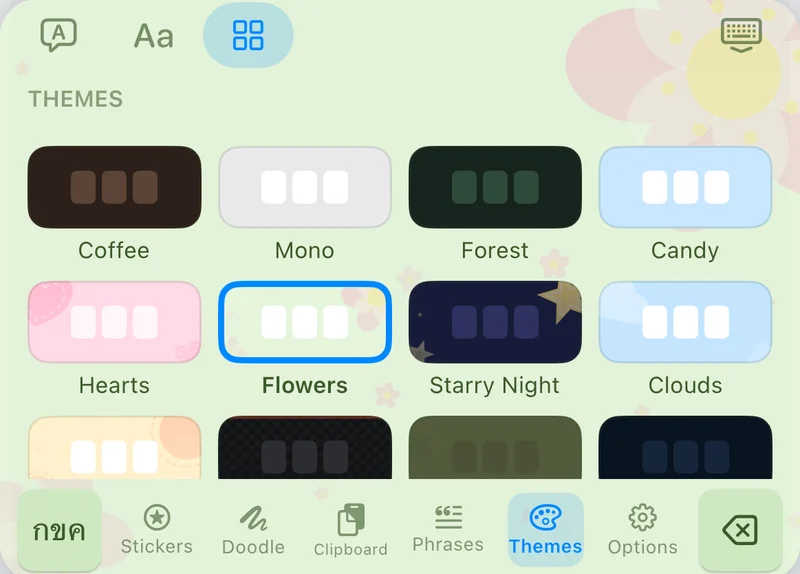
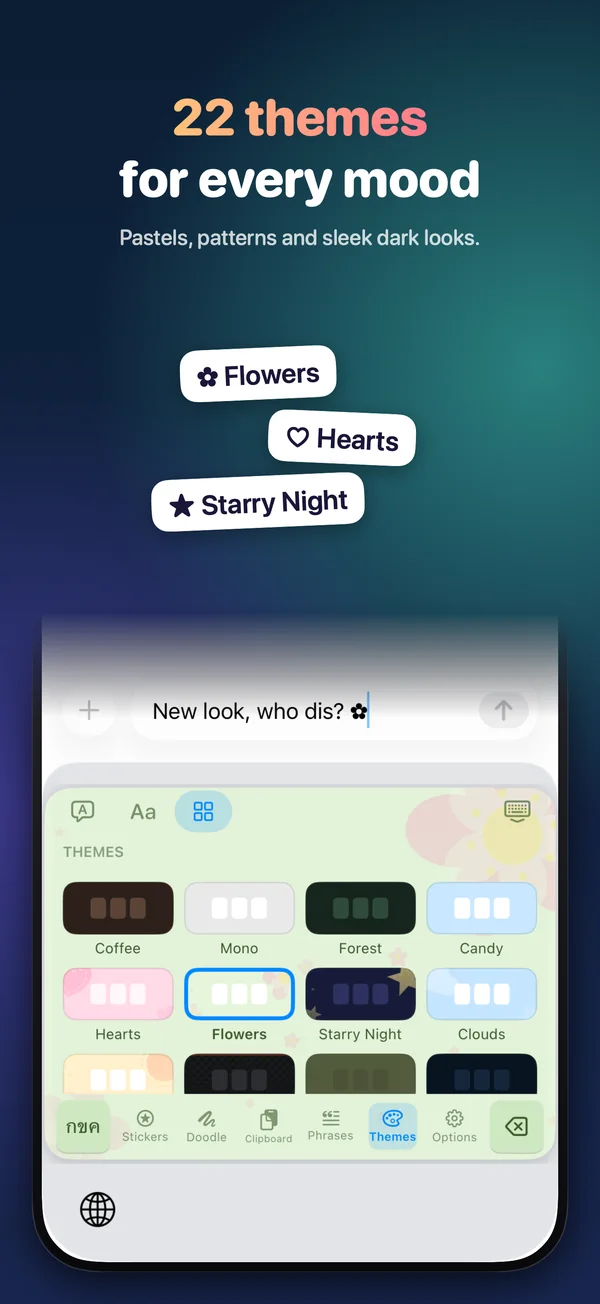
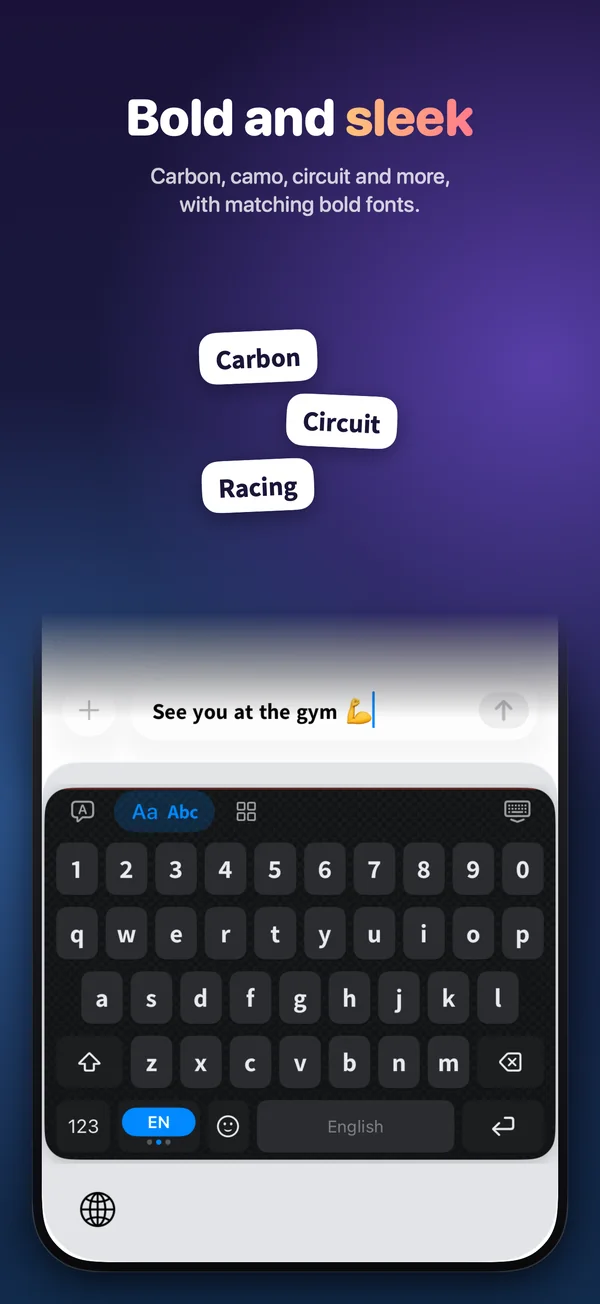
12 colours and 10 patterns: hearts and flowers, or carbon, camo and circuit.
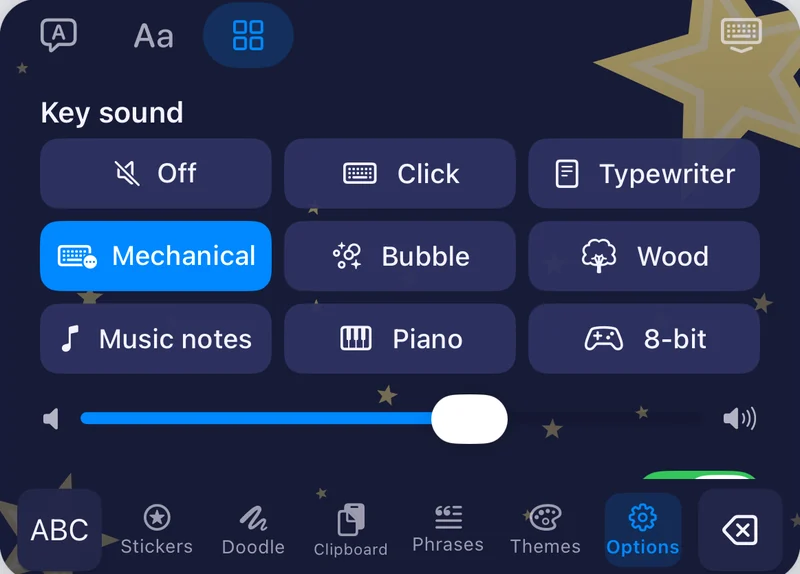
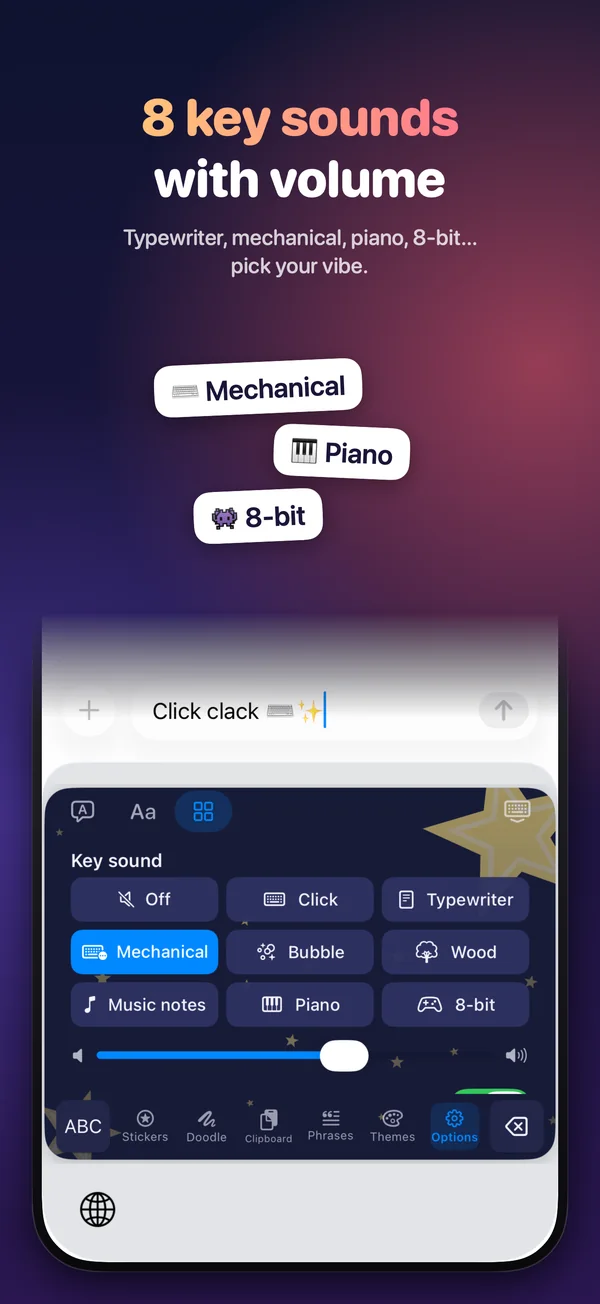
Click, typewriter, mechanical, bubble, wood, music notes, piano and 8-bit, with volume.
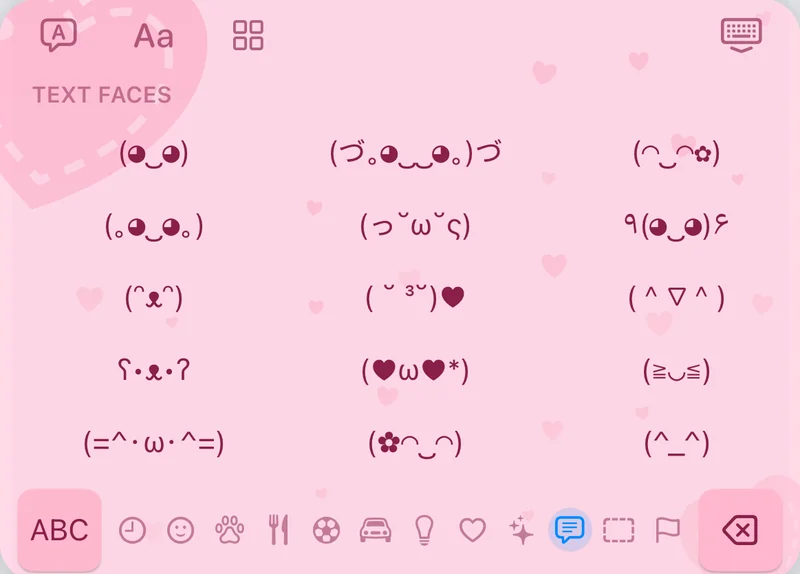
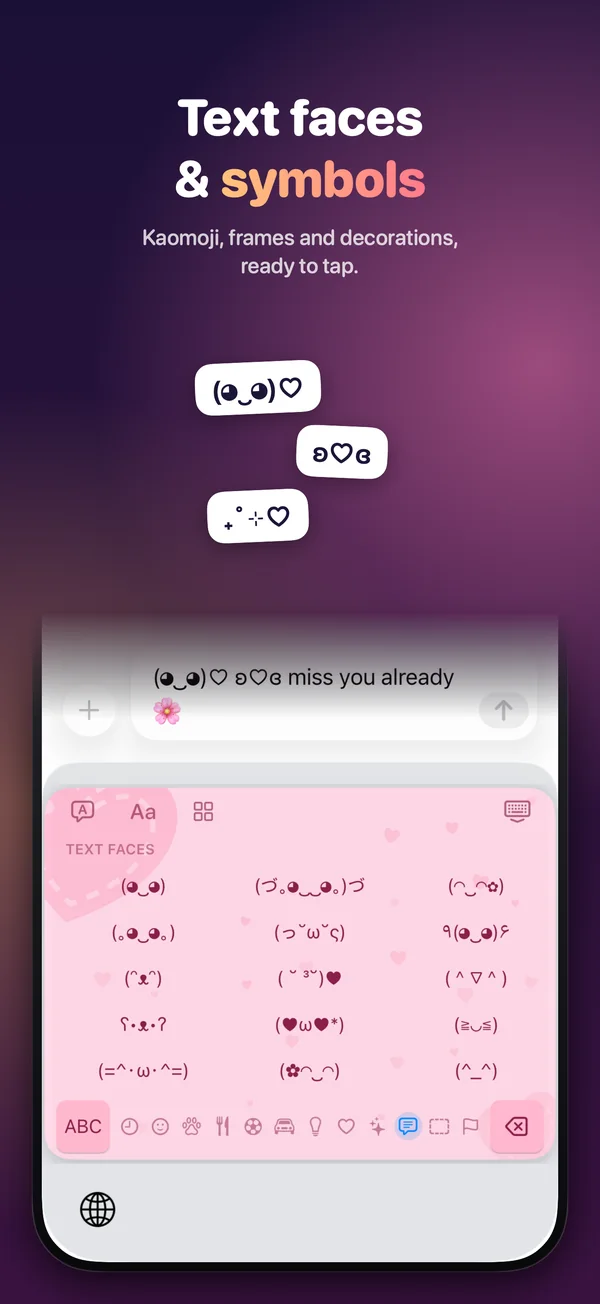
Text faces, frames and decorative symbols, plus about 1,600 emoji built in.
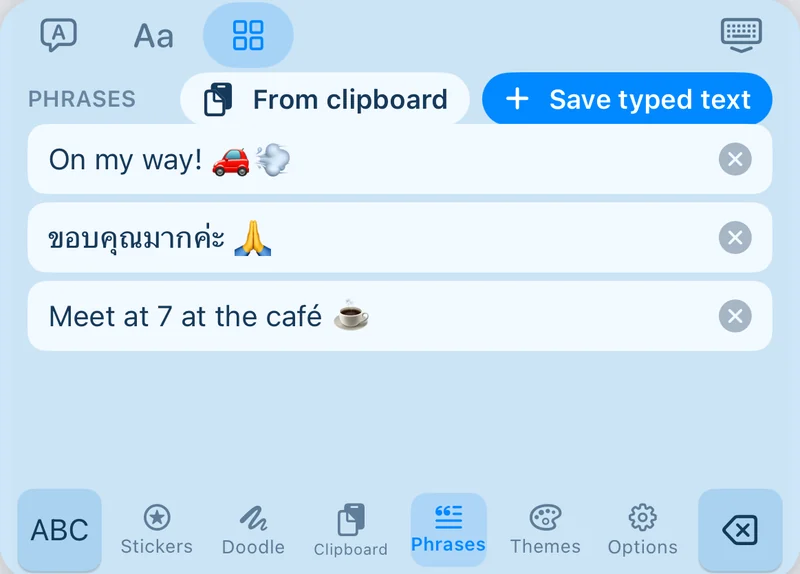
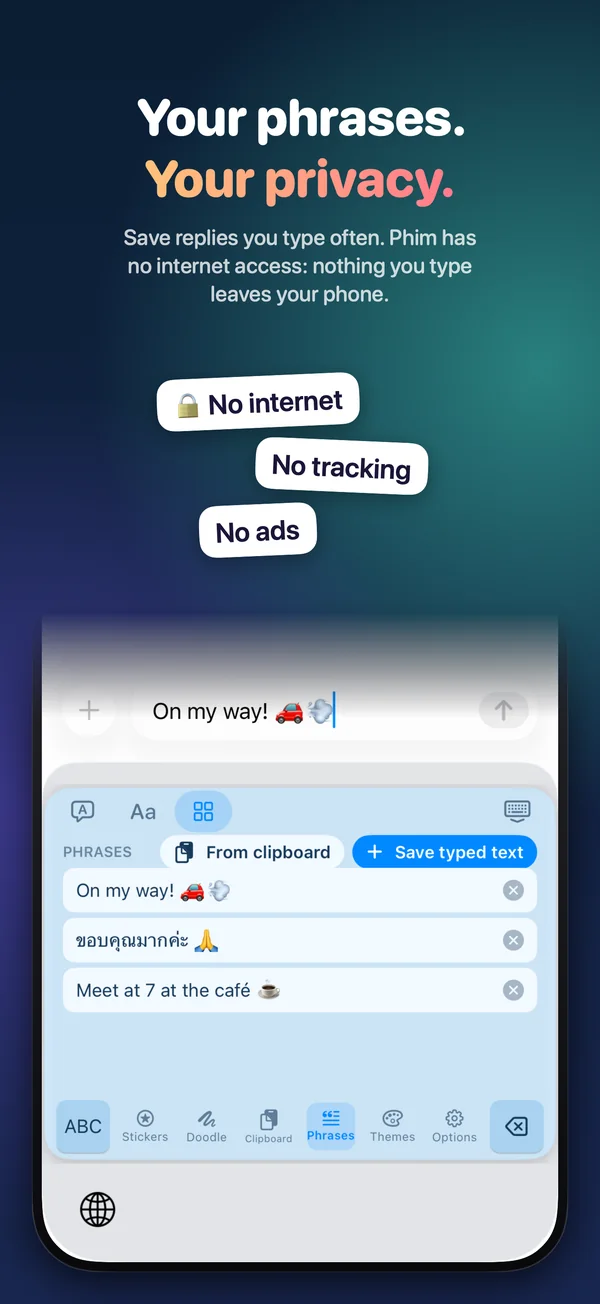
Save replies you type often, and find the last 30 things you copied.
Also: word suggestions and autocorrect from your device’s own spell checker, drag on the space bar to move the cursor, Apple’s dictation one tap away, light and dark mode, and VoiceOver labels.
Your typing stays yours
Phim has no network code at all, so nothing you type can leave your device. When you allow Full Access, iOS shows the same warning for every keyboard; for Phim it only unlocks things iOS keeps behind that switch.
From the App Store page
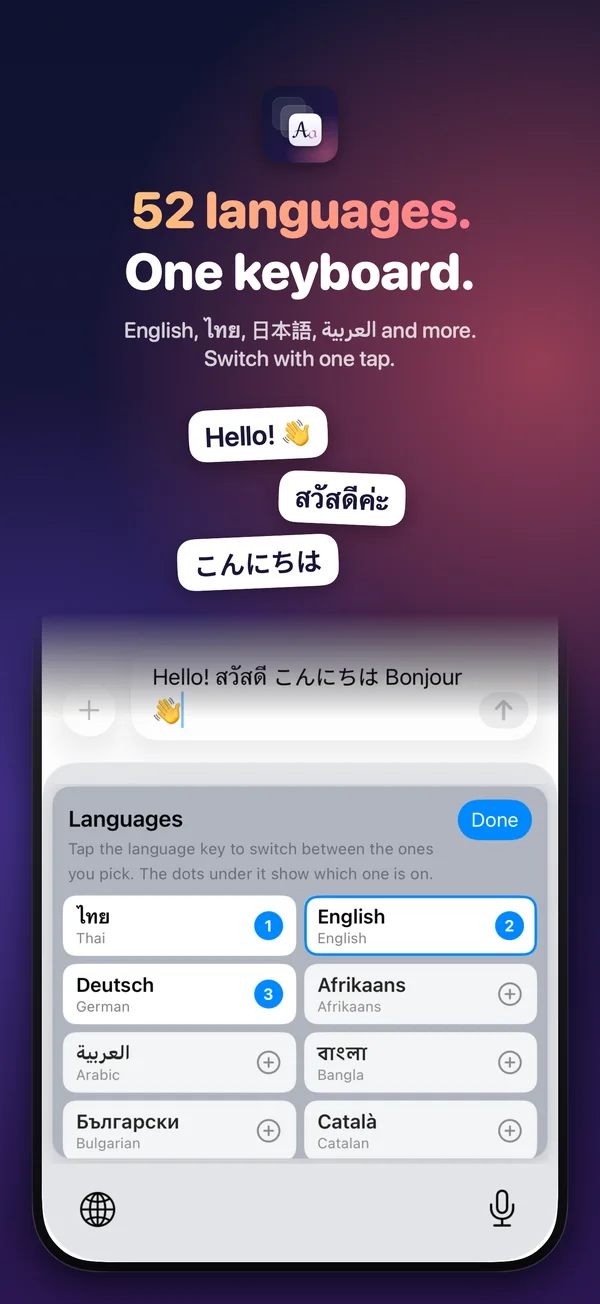
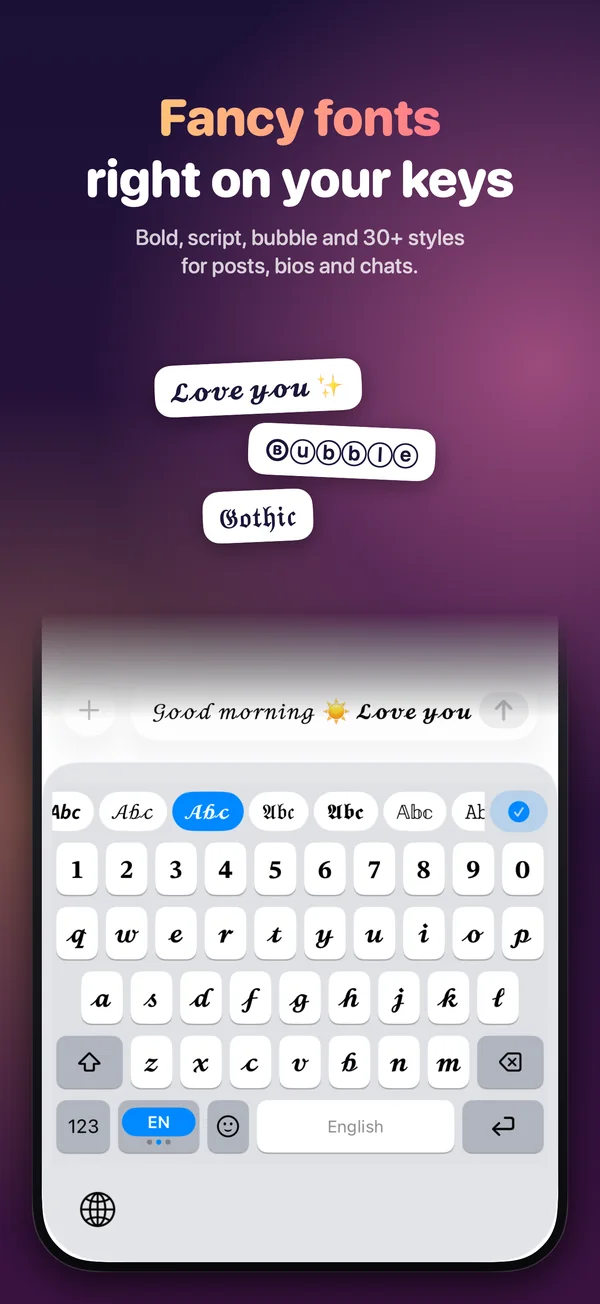
For iPad and iPhone with iOS 17 or later. One payment, no subscription.
Questions or ideas? Write to welcome@kk-studio.ch.