Paper Post
How to Race a Friend in iMessage with a Paper Plane Game
You can race a friend in iMessage without both of you playing at the same time. With Paper Post, you fly a paper plane as far as you can and send the distance to a friend as a dare. They open it, tap Race back! and fly the course you flew, with your plane flying beside them, and the score is kept plane after plane.
Below: how a race works, then each step, from the dare to the rematch, and how to race your own best. If you have never sent a Paper Post plane, our first guide, how to send a note by paper plane in iMessage, covers finding the app in Messages and the basics.
How a race in Paper Post works
A normal Paper Post flight delivers a note to a mailbox. A race has no mailbox: the course goes on and on, the run ends after three bumps, and what counts is how far you get.
Three things make it a fair race between two phones:
- The same course for everyone. Each route has a course of the day. Everyone who starts a race on that route that day gets the same obstacles, and a friend who races back flies the course you flew, not a new one.
- It gets harder as you go. The plane speeds up a little with every hundred metres, and trickier obstacles join in further along: moving ones from 120 m, the hardest from 320 m.
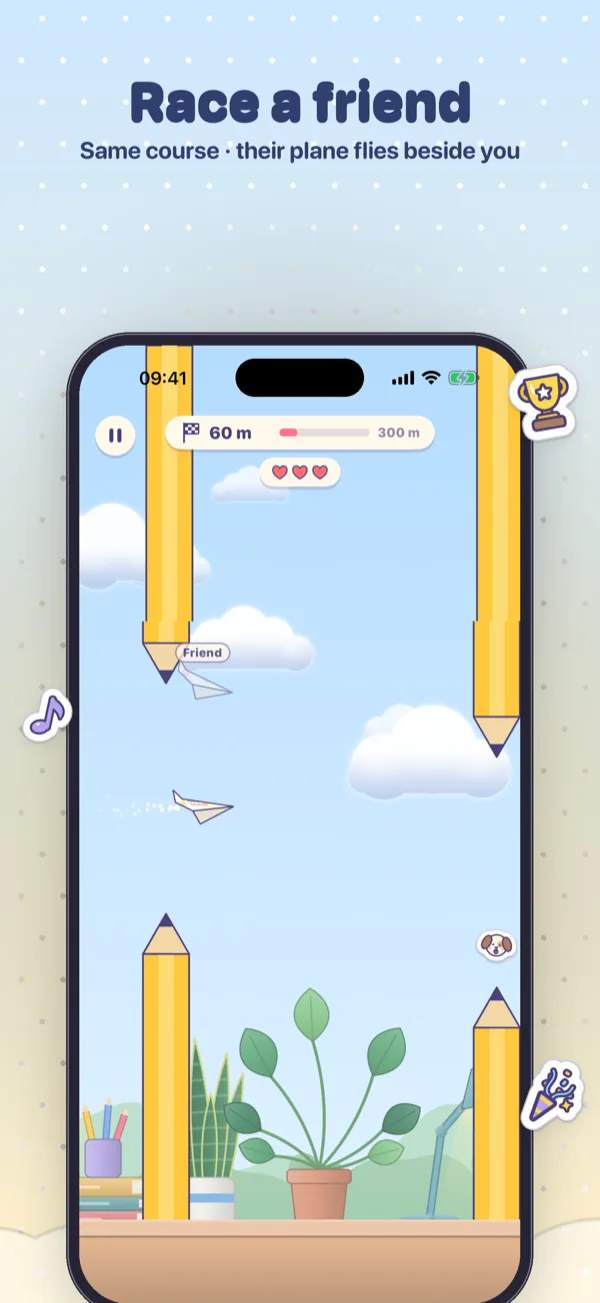
- A plane to beat. When you race back, your friend’s plane flies the path they flew, see-through and labelled Friend, and a gold flag stands at the distance to beat.
Racing a friend in iMessage, step by step
1. Write a short note
Open a conversation, tap the plus button, choose Paper Post and tap Write a note. A race still carries a note, up to 140 characters, so it is a good place for a little teasing. Then tap Fold it and fold the plane: drag up three times, or tap for each fold.
2. Choose Race, a plane and a route
Under the folded plane is a switch between Deliver and Race. Pick Race, and the line underneath says what it does: fly as far as you can, then challenge a friend in Messages. Below it you choose a plane and a route.
| Plane | How it flies |
|---|---|
| Dart | Quick and steady |
| Glider | Floats gently, falls slowly |
| Stunt | Zippy, loops on every sticker |
There are four routes: Sunny Desk, Stormy Window, Night Sky and the Snowy Park, with its snowmen, icicles and snowballs. In Race mode, the line under the routes says Today’s course. Tap Race!, or flick the plane off the screen.
3. Fly as far as you can
The controls are the same as in any Paper Post flight: hold your finger down to climb, let go to dive. At the top, a counter shows how many metres you have flown, and three hearts show how many bumps you have left. Small flags on the ground mark every 100 m. There is a pause button if the doorbell rings.
When the run ends, the note unfolds with a RACE MAIL stamp and your distance. If you would like a better number before anyone sees it, Fly again runs the same course once more.
4. Send the dare
Tap Send the dare. The plane drops into the message field, and you send it like any message. In the conversation the bubble reads Race me! Beat 300 m, with your own distance in place of the 300, and underneath, Same course, same wind · tap to race.
What your friend sees, and how they race back
Your friend opens the plane the usual way: it swoops across the screen to be caught, then unfolds. The heading says Race! Beat and your distance, and under the note is a button, Race back!
Racing back starts with their own short note, which is folded like any other. Instead of the route tickets, they see a ticket with your distance to beat and Their course, the route you flew. They can still choose a plane. Then they tap Race!
On the way, your plane flies beside theirs along the path you took. If your run ended earlier, it tumbles out of the sky at the spot where you crashed. A gold flag marks your distance, and if they pass it, the screen says You passed them!
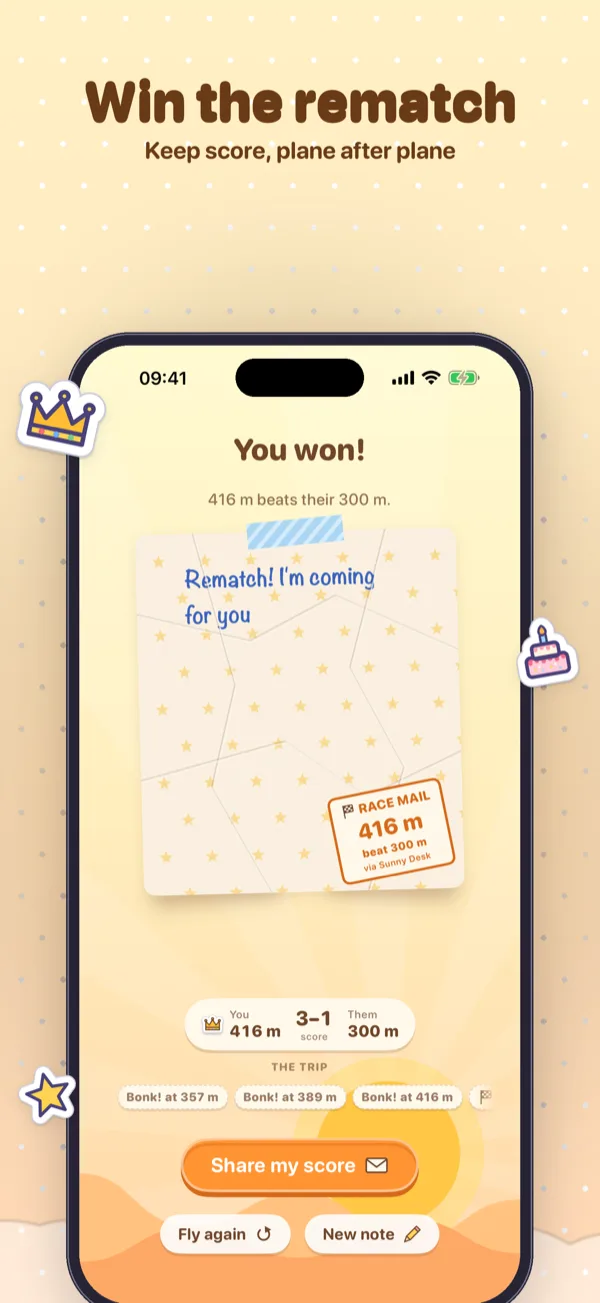
At the end, the result is You won!, So close! or Dead heat!, with a small scoreboard: You, Them, the score between you, and a crown on whoever flew further. Send it back returns the race to you, and the bubble shows the new distance to beat and the running score. When you open it, the heading tells you how it went: They beat your distance, or You’re still ahead! Then it is your turn to race back. Every plane carries the score on, so a race can go back and forth for as long as you both like.
Racing on your own
You don’t need a friend to race. Your best run on each route’s course of the day is kept on your phone, and the next time you race that course, your best plane flies beside you, labelled Best, with a gold flag at your best distance. Pass it and you get New best! The next day brings a new course, and a new best to set.
You can also race from the Paper Post app itself, outside Messages. There, the button at the end is Share my score, which shares your note and your distance as a picture. To dare a friend on the same course, open Paper Post in Messages.
Where Paper Post comes in
Race mode is part of Paper Post, our iMessage app for iPhone. It is free: you can race on the Sunny Desk with the Dart, send a dare, and race back on the course a friend sends you. A one-time in-app purchase, the Full Kit, adds the Stormy Window, Night Sky and Snowy Park routes and the Glider and Stunt planes, along with every look and paper and more. It is not a subscription, and it supports Family Sharing.
Your friend needs Paper Post on their iPhone to catch the plane and race back. There is no account and nothing to sign in to. Everything a race needs, the course of the day, the path your plane flew and the score, is packed into the message itself and sent by Messages.
Dare a friend to beat it
Race mode is free on the Sunny Desk with the Dart, and so is racing back on the course a friend sends you.